1
●
●
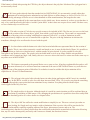
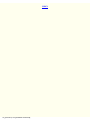
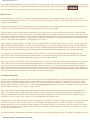
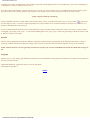
Big Arrow.
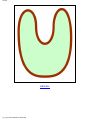
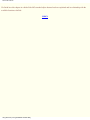
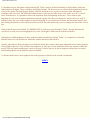
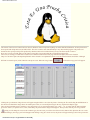
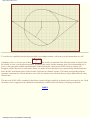
Closed Cubic Curve.
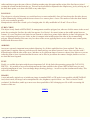
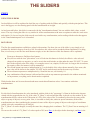
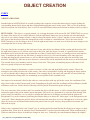
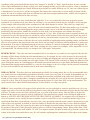
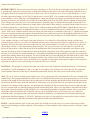
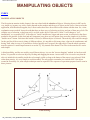
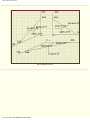
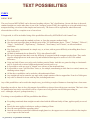
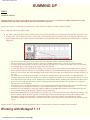
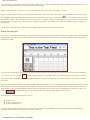
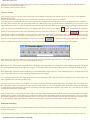
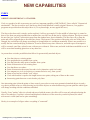
The above images show some interesting particularities not very common. That is, in the text image we've included a math
formula which has suffered the following transformations:
- 50% increase of vertical scale over the horizontal one,
- To all the image a 30% slope has been applied, so they resemble italics.
Now, we will explain every object construction in detail.
POINT.
The object is just a pair of coordinates that define it, the same definition as MetaPost. Besides, on the fly, METAGRAF
allows to choose the thickness and color trough the color dialog.
LINE.
Similarly, the object line is drawn very easily. It's done the same way as MetaPost, with typical variables: thickness, color
and type of line (dotted thick, dotted thin,...summing up seven different types to select).
POLYLINE.
This object is the same as the POLYGON but not (necessarily) closed.
RECTANGLE.
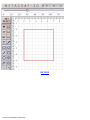
This is a special object. But now, we'll state that is a closed cycle made of four lines that link four points. The possibilities
of thickness, color, type of line,... are the same that LINE possibilities.
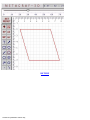
Nonetheless, the METAGRAF rectangle is not necessarily 90 degrees from the start, it may get to a not rectangle
paralelogram. Afterwards we will say more about.
OVAL.
In MetaPost the oval is made of four cubic curves, that start from the middle points of the sides of a rectangle and end in
the points of the neighbour side. The control points are choosen following D. Knuth "algorithm". The OVAL, because of
being built from a rectangle, has the same transformations as rectangles, so that it can be circumscribed into a non
rectangular paralelogram.
CIRCLE.
There're four kinds of circles available in METAGRAF. The first and easier one is the oval we've seen in the previous
section. We just choose a rectangle that is a square. This is a very common trick of graphic programs, but it's not
comfortable for the user, because require grid adjusting all the time, to get a real circle. Even at that conditions, it's not
"comfortable".
The standard circle used in METAGRAF is in fact a modified oval. The only difference is that in this case, the rectangle is
a square and the relationship among sides has been fixed. A complex routine allows the drawing of the circle with most
ease as we'll later see.
On the other hand, the system devised for the arc drawing, allows 360 degrees arcs, that is, a circle.
Finally, there's a special circle designed for generating spirals, that uses the MetaPost function "fullcircle". It can be used
also as a circle.
ARC.
The arc of circle, which is translated into a MetaPost limited "full circle", is built drawing a first line that marks the origin,
des_obj2.html (2 of 3) [5/30/2002 10:08:34 PM]