1
Audio cards
© 2008, QNX Software Systems GmbH & Co. KG.
Currently, there’s no support for USB keyboards in text mode, but Intel machines can
use BIOS emulation to support them. Photon supports USB mice and keyboards; for
more information, see “USB devices” later in this chapter.
Touchscreens
Neutrino supports various touchscreens; check the list of supported hardware on our
website to determine which driver to use for yours. See also the devi-* input drivers
in the Utilities Reference. Determine which options are appropriate for your setup, and
then start the driver. For example, here’s how to start the driver for a Dynapro SC4
touchscreen:
devi-dyna dyna -4 fd -d/dev/ser1 &
This command starts the driver, devi-dyna, using the SC4 protocol (-4), and a file
descriptor that’s attached to serial port 1 (fd -d/dev/ser1).
When you start the driver for the first time, it returns an error stating that it can’t read
the calibration file. To calibrate the touch screen, use the calib utility, while running
Photon.
Audio cards
By default, the operating system detects your audio card. The enumerators identify the
card and use io-audio to start it. Audio drivers in Neutrino are very simple to
initialize. When you use io-audio, you can use the -d option to pass the driver:
io-audio -vv -d audiopc &
To see what other options you can use, see the documentation for io-audio in the
Utilities Reference and for your specific card.
If the operating system doesn’t detect your card properly, you can manually start the
driver. In order to do this, you need to identify the card. You can find a list of
supported hardware on our website; see the introduction to this chapter.
ISA cards
ISA cards are either Plug-and-Play or not. You typically have to manually set up
non-PnP ISA devices. In order to identify your device, you need to have the manual
for your device or have a way to contact your device’s manufacturer (e.g. via their
website). There isn’t currently a Neutrino utility that lists the ISA devices that are
installed on a system.
Non-PnP-based
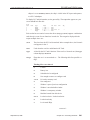
With non-PnP cards, you can manually start the driver and specify the I/O port, IRQ,
and DMA channel. For example, this command starts the Sound Blaster driver:
io-audio -dsb ioport=port,irq=req,dma=ch,dma1=ch &
September 30, 2008
Chapter 15 • Connecting Hardware
239