1
CorpComContact User Manual
Table of Contents
FOREWARD .................................................................................................................................. 5
About This Guide........................................................................................................................ 5
Parent—Child Relationship: Accounts and Contacts ................................................................ 5
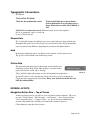
Typographic Conventions ............................................................................................................... 6
Screenshots ................................................................................................................................. 6
Help ............................................................................................................................................. 6
Online Help ................................................................................................................................. 6
SCREEN LAYOUTS...................................................................................................................... 6
Navigation Button Row – Top of Screen .................................................................................... 6
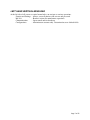
LEFT HAND VERTICAL MENU BAR .................................................................................... 7
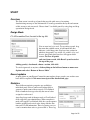
START ............................................................................................................................................ 8
Overview ..................................................................................................................................... 8
Design Mode ............................................................................................................................... 8
Click Personalize Start, located at the top left. ........................................................................... 8
Recent updates ............................................................................................................................ 8
Statistics ...................................................................................................................................... 8
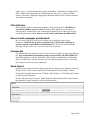
Recent e-mail campaigns and fax blasts ..................................................................................... 9
Unsubscribe................................................................................................................................. 9
Quick Search ............................................................................................................................... 9
Listing Screen Features ............................................................................................................. 10
Navigation Buttons ................................................................................................................... 10
Filter Tabs ................................................................................................................................. 10
Filter Tab Types ........................................................................................................................ 11
Viewing Filters and Creating Filter Tabs – “Listing of All Filters” Bar .................................. 11
“Listing of All Filters” compared to “Filter Management” ...................................................... 12
Filter Counts Menu Bar ............................................................................................................ 12
Alphabetic Index Section Selector ............................................................................................ 13
Column Headings...................................................................................................................... 13
Page Numbers and Record Count – Bottom of Screen ............................................................. 14
Listing Rows – Click “Detail” to Open Full Edit Screen for a Record .................................... 14
Menu Shortcuts ......................................................................................................................... 14
Contact Detail Screen -Address Fields ..................................................................................... 15
Account Detail Screen -Address Fields .................................................................................... 15
Creating a Record .................................................................................................................. 16
Linking an Account................................................................................................................... 16
Agenda ...................................................................................................................................... 17
Associations .............................................................................................................................. 17
FIND ACCOUNT OR CONTACT: QUICK SEARCH AND ADVANCED SEARCH ........ 17
Using Quick Search or Advance Search ................................................................................ 17
Page 2 of 55