1
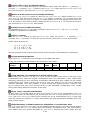
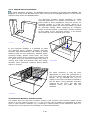
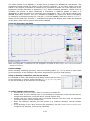
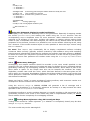
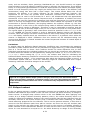
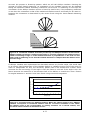
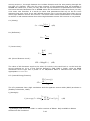
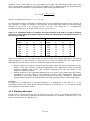
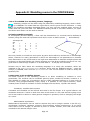
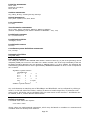
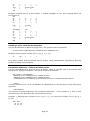
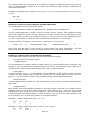
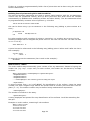
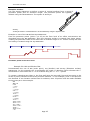
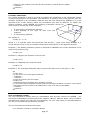
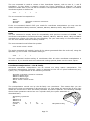
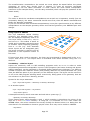
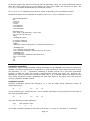
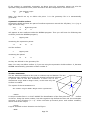
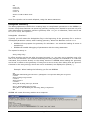
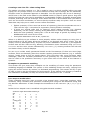
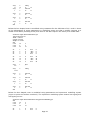
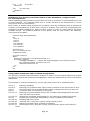
If an elevation surface has 22 surfaces then 23 points must be made available to the
ElevSurf2 as in this example.
###
MPt 1 23
000
= 7.48 =
2.3 = =
= =-2.38 =
8.35 = =
= =-1.26 =
10.76 = =
= =+4.64 =
64.78 = =
= =-2.68 =
51.52 = =
49.62 =-2.02 =
48.22 =+1.1 =
45.3 =-2.68 =
43.85 =+1.45 =
42.40 = =
40.98 =-1.45 =
=0=
34.5 = =
= =2.1 =
30.13 = =
= =-2.13 =
000
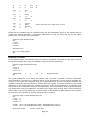
ElevSurf2 1 1 22 2.7 TB walls
###
Defining a number of surfaces using the CountSurf statement
The CountSurf is mostly here for backwards compatibility. In most cases it will be easier to use
the Surf statement along with a for….end loop.
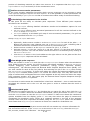
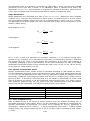
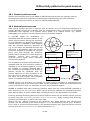
A Counter surface is divided on two lines and must follow the syntax:
CountSurf <First Surface Number><NumberOfSurfaces><Optional name>
<ListOfPointNumbers>
<FirstSurfaceNumber>
A unique number from 1 to 2.147.483647 for identification of the surface. Using the same
number, but with negative sign defines the surface and its counterpart mirrored in the XZplane (Y = 0). A CountSurf will take up several surfaces numbers, which must all be unique.
<NumberOfSurfaces>
The number of surfaces to be created by the CountSurf call.
<Optional name>
Optional user defined name for easy identification of the surface, e.g. ‘Beam'.
<ListOfPointNumbers>
Each surface may be bounded by between 3 and 50 corners, which all lie in a plane. Corner
numbers refer to the corners, which must have been defined (e.g. using the Pt or CountPt
statement) before using the surface statement. The order of listing must be as obtained by
travelling around the surface's edge (in either direction). The list of corners must be on the
same line. A room may contain up to 10000 surfaces.
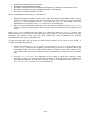
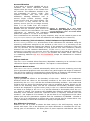
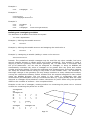
Example:
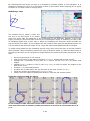
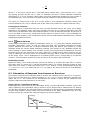
CountSurf 1000
1000
5
1100
Beam in ceiling
1200
1300
App-27