1
4
Enjoying entertainment features
Use your HP computer as an entertainment hub to socialize via the webcam, enjoy and manage your
music, and download and watch movies. Or, to make your computer an even more powerful
entertainment center, connect external devices like a monitor, projector, or TV, or speakers and
headphones.
Multimedia features
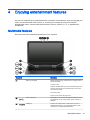
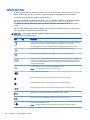
Here are some of the entertainment features on your computer.
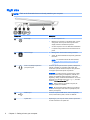
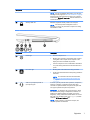
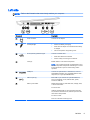
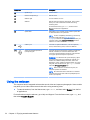
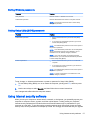
Component
(1)
Description
Memory card reader
Reads optional memory cards that store, manage, share, or
access information.
To insert a card:
Hold the card label-side up, with connectors facing the slot,
insert the card into the slot, and then push in on the card
until it is firmly seated.
To remove a card:
Press in on the card it until it pops out.
(2)
USB 3.0 ports (2)
Each USB 3.0 port connects an optional USB device, such
as a keyboard, mouse, external drive, printer, scanner or
USB hub.
(3)
HDMI port
Connects an optional video or audio device, such as a
high-definition television, any compatible digital or audio
component, or a high-speed HDMI device.
Multimedia features
23