1
57
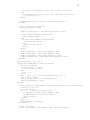
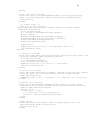
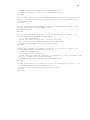
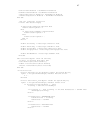
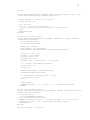
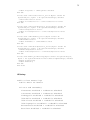
StatusBar.Panels.Item(1).Text = "No active connection"
Else
StatusBar.Panels.Item(1).Text = Str(lvClients.Items.Count)
+ " connection(s)"
End If
btnRemove.Enabled = lvClients.SelectedItems.Count > 0
End Sub
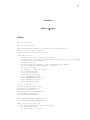
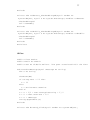
’Set the component properties
Private Sub SetSettings()
VidSrv.ListeningPort = Val(FSettings.txtPort.Text)
If FSettings.radSecret.Checked Then
VidSrv.SecurityMode = 1
Else
If FSettings.radPublic.Checked Then
VidSrv.SecurityMode = 2
Else
VidSrv.SecurityMode = 0
End If
End If
VidSrv.SecretKey = FSettings.txtSecret.Text
VidSrv.PublicKey = FSettings.txtPublic.Text
VidSrv.PrivateKey = FSettings.txtPrivate.Text
VidSrv.Fingerprints = FSettings.txtFingerprints.Text
End Sub
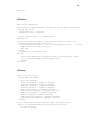
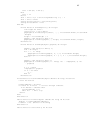
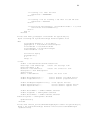
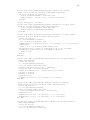
’Add a message to the log
Private Sub LogMsg(ByVal aText As String)
Dim Line As String
If txtLog.Text > "" Then
Line = Chr(13) & Chr(10)
Else
Line = ""
End If
Line = Line & "[" & Now.ToLongTimeString & "] : "
Line = Line & aText
txtLog.SelectionStart = Len(txtLog.Text)
txtLog.SelectedText = Line
End Sub
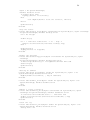
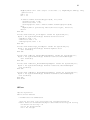
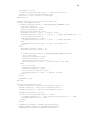
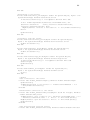
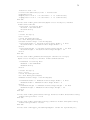
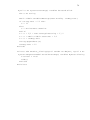
Private Function ItemFromHandle(ByVal aHandle As Long) As ListViewItem
’iterate on the list
Dim i As Integer
For i = 0 To lvClients.Items.Count - 1
If lvClients.Items(i).Tag = aHandle Then
ItemFromHandle = lvClients.Items(i)
Exit Function
End If
Next i
ItemFromHandle = Nothing
End Function
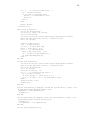
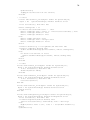
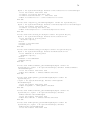
’Start the server
Private Sub btnStart_Click(ByVal sender As System.Object,