1
Table of Contents
Chapter 1 - Installing and Starting PTData.Net
1.1 General Information and Terminology
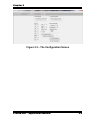
1.2 The Configuration File
1.3 The Datum Line
1.4 Dimensions Perpendicular to the Frame
1.5 Design Points
1.6 Sign Conventions
1.7 Units
Chapter 2 - Entering and Editing Input Data - The MAIN MENU
2.1 PTData.Net Menus
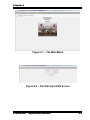
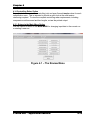
2.2 The MAIN MENU
Chapter 3 - The Input Data Screens
3.1 Entering and Editing Data in the Grids
3.2 The Start Over Command Button
3.3 General Input Data Screen
3.4 Column Input Screen
3.5 Transverse Beam Input Screen
3.6 Beam and Slab Input Data
a) PTData.Net Beam Input Screen
b) PTData.Net Two-Way Slab Input Screen
c) PTData.Net One-Way Slab Input Screen
3.7 Superimposed Load Input Screen
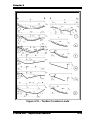
3.8 Tendon Profile Input Screen
Chapter 4 - The REVIEW MENU
4.1 Forces and Tendon Profiles - Review or Change
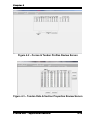
4.2 Tendon Data and Cross-Section Properties Screen
4.3 Flexural Stress Summary Screen
4.4 Unfactored Beam Moments Review Screen
4.5 Unfactored Beam Shear Review Screen
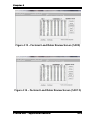
4.6 Flexural Concrete Stresses Review Screen
a) Service Load Stresses
b) Transfer Stresses
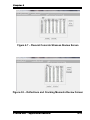
4.7 Deflection and Cracking Moment Review Screen
4.8 Tendon Balanced Load & Concrete Dead Loads Review Screen
4.9 Factored Load Review Screen
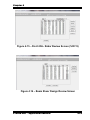
4.10 DL+LL/4 Rebar Review Screen
4.11 Beam Shear Design Review Screen
4.12 Punching Shear Stress Review Screen
4.13 Variable Prestress Force Option
4.14 Controlling Rebar Option
PTData.Net – Application Manual