1
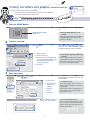
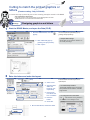
Design
4
Print
Cut
Assembling
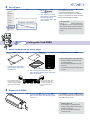
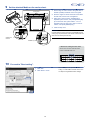
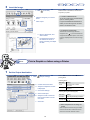
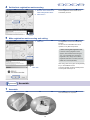
Set the Auto registration mark scanning.
1 Put a tick in the check box of
"Search Registration Mark".
Set the Registration mark so that it can be
automatically scanned.
2 Click "Next>>".
5
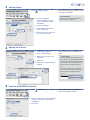
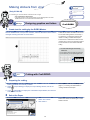
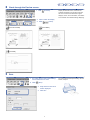
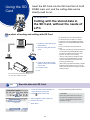
Make registration mark scanning and cutting.
1 Click "Cut".
The Registration mark can be automatically
scanned.
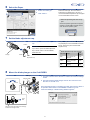
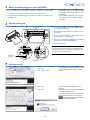
Do not touch the Craft ROBO when it is in
operation, it may affect the precision.
R When scanning fails Registration mark
If "Failed in scanning Registration mark"
appears, reset the Media before clicking the
"Cut". If you repeatedly fail in scanning the
Registration mark, change into the Manual
Registration Mark Scan. For details, see Craft
ROBO User’s manual (CD-ROM).
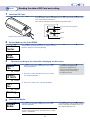
After cutting, take out the paper. Press [ENTER]
key on "Unload Media" screen.
To end the operation, press the Standby switch
and verify that LED lamp is off.
2 Click "OK".
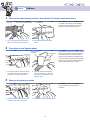
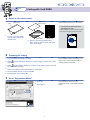
Assembling
1
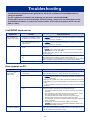
Assemble.
Assemble.
Once assembled, it is completed.
19