1
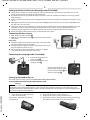
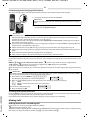
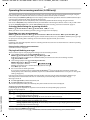
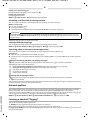
Lombok / IM-MEA en / A31008-M2401-A601-1-UZ19 / Lombok_MEA.fm / 23.04.2012 2 Safety precautions Read the safety precautions and the user guide before use. Explain their content and the potential hazards associated with using the device to your children. Use only the power adapter supplied, as indicated on the devices. Use only rechargeable batteries that correspond to the specification (see "Technical Data"). Never use a conventional (non-rechargeable) battery or other battery types as this could result in significant health risks and personal injury. Rechargeable batteries, which are noticeably damaged, must be replaced. Using your telephone may affect nearby medical equipment. Be aware of the technical conditions in your particular environment, e.g., doctor's surgery. If you use a medical device (e.g., a pacemaker), please contact the device manufacturer. They will be able to advise you regarding the susceptibility of the device to external sources of high frequency energy (for the specifications of your Gigaset product see "Technical Data"). Do not hold the rear of the handset to your ear when it is ringing or when speaker mode is activated. Otherwise you risk serious and permanent damage to your hearing. Your Gigaset is compatible with the majority of digital hearing aids on the market. However, perfect function with all hearing aids cannot be guaranteed. The phone may cause interference in analogue hearing aids (humming or whistling) or cause them to overload. If you require assistance, please contact the hearing aid supplier. The devices are not splashproof. For this reason do not install them in a damp environment such as bathrooms or shower rooms. Do not use the devices in environments with a potential explosion hazard (e.g., paint shops). If you give your Gigaset to a third party, make sure you also give them the user guide. Remove faulty devices from use or have them repaired by our Service team, as these could interfere with other wireless services. ◆ The device cannot be used in the event of a power failure. It is also not possible to transmit emergency calls. ◆ Emergency numbers cannot be dialled if the keypad lock is activated! ECO DECT During a call, the level of the handset's radio signal adjusts automatically according to the distance between the handset and base station: the shorter the distance, the lower the signal strength (radiation). The handset’s radio signal is switched off when it is in standby mode. The base station, however, maintains contact with the handset with fewer radio signals. In addition, the base station radio signals are switched off when the No Radiation setting is enabled. MENU ¤ u Settings ¤ OK ¤ u Base ¤ OK ¤ u ECO DECT ¤ OK ¤ No Radiation ¤ OK (‰= radiation switched off, icon ½ in the left-hand corner of the display) Please note ◆ All registered handsets must support this feature. ◆ For quick connection of incoming calls the handset repeatedly switches to reception mode for short periods. This increases energy consumption and therefore reduces the standby and talk times. Version 4, 16.09.2005 First steps Check the pack contents One Gigaset A120/A220/A220A base station, one mains adapter, one Gigaset handset, one phone cord, two batteries, one battery cover, one user guide. If you have purchased a model with multiple handsets, the package should contain two batteries, a battery cover and a charging cradle with mains adapter for each additional handset.