1
camSPECS / camSPECS express
4
SOFTWARE DESCRIPTION
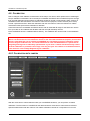
With the camSPECS software you have a powerful tool to measure the spectral sensitivities for both
hardware versions. The results may be used for comparison or documentation purposes and can be used for
the calculation of Color Correction Matrices (CCM), which might be incorporated into cameras.
The results can be saved in form of plain text (.txt) or XML files. For fast documentation purposes the
resulting plots and images can be saved to images (JPEG, PNG, TIFF, BMP, GIF).
The software allows for a validation of the measurement setup with well-known reference data (based on
ColorChecker charts) and a recalibration of the hardware with the incorporated monochrome camera.
The CCM modules include also the measurement of the white balancing multipliers of the camera and a
quality index for the metamerism of the camera. The matrices can be evaluated by applying them to real
images.
4.1 GENERAL DESCRIPTION OF IMAGES
This section describes the general specifications for the images to measure.
4.1.1 IMAGE DATA
The camSPECS software can handle demosaiced images or images with the original CFA independent from
the file type. If you use your own raw image converting software you should convert the images to TIFF files
by maintaining the Bayer pattern. You can also use the program dcraw to convert D-SLR camera raw files
the latest release is delivered with camSPECS. Mac OS X and Windows® versions are available.
If you do not have access to raw files camSPECS can handle RGB images.
If raw files are selected the raw processing is performed automatically for all images selected in every
module. The files are saved as TIFF files to a sub-directory named “converted” at the location of the original
files. These images are used for the subsequent processing. If further tests with images shall be
accomplished you can choose the converted images for faster processing.
Images are converted retaining the original Bayer pattern.
Note: See www.cybercom.net/~dcoffin/dcraw/ for list of all supported cameras. On this site you will
also find a link to the latest executable version of dcraw. To update dcraw just replace the dcraw.exe
with the new one in the “app” directory of the camSPECS program directory. Or choose dcraw from a
different location on your disk in the advanced settings.
4.1.2 COLOR FILTER ARRAY (BAYER PATTERN)
11