1
control operators
13.9. practice: control operators
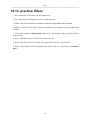
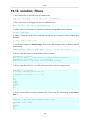
0. Each question can be answered by one command line!
1. When you type passwd, which file is executed ?
2. What kind of file is that ?
3. Execute the pwd command twice. (remember 0.)
4. Execute ls after cd /etc, but only if cd /etc did not error.
5. Execute cd /etc after cd etc, but only if cd etc fails.
6. Echo it worked when touch test42 works, and echo it failed when the touch failed. All
on one command line as a normal user (not root). Test this line in your home directory and
in /bin/ .
7. Execute sleep 6, what is this command doing ?
8. Execute sleep 200 in background (do not wait for it to finish).
9. Write a command line that executes rm file55. Your command line should print 'success'
if file55 is removed, and print 'failed' if there was a problem.
(optional)10. Use echo to display "Hello World with strange' characters \ * [ } ~ \
\ ." (including all quotes)
139