1
http://www.vicsign.com/
d
User manual of HS series vinyl cutter
Adjusting speed and pressure.
In line with local state and send the process of carving knife pressure and speed of testing, debugging speed
increase speed by value increment key, key to decrease the value by value reduction, testing the pressure to
increase the pressure by value increment key By numerical reduction to decrease the pressure.
e
Pause function
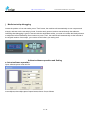
During plotter output, press the “Off line / Pause” button, the plotter will be in suspended state and displays the
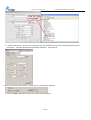
coordinates of the current document processing parameters. As shown:
f
Media installation
1 Media storage and use precautions
— After opening the package, store the media in a cool dark place to avoid sunlight and water
— Do not place the print media to erect in order to avoid edge damage
— Do not fold and stack the print media
— Do not use bruised, wrinkled, curled, or stained with dust medium
— Do not drop or wet the print media
— Need to tidy up before installation media
2. The machine used for single media, but also for rolls of media.
3. Main operation methods of using the media
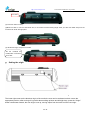
(1) To press the pressure roller handle at the back of the machine, lift the pressure roller
24 / 43