1
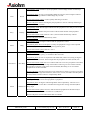
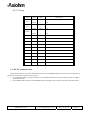
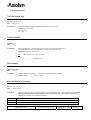
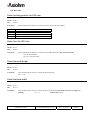
8.3. Print position
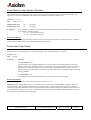
Set horizontal tab
ASCII ESC D n k NUL
Hex
1B 44 n k
Comments
<n> is the number of characters that the horizontal tab will jump.
Enable only for one line.
01h ≤ n ≤ 19h
<k> = 00
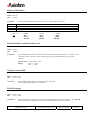
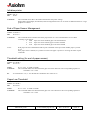
Horizontal tab
ASCII HT
Hex
09
Comments
This command moves the printing position to the next horizontal tab position.
The horizontal tab position is defined by "Set horizontal tab" function.
Default tabs are every 8 characters.
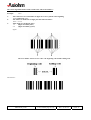
Ex :
09 41 41 41 41 41 41 41 41 41 0A
⇒ _ _ _ _ _ _ _ _AAAAAAAAA
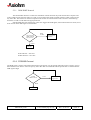
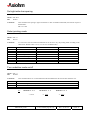
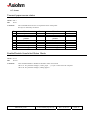
Set column
ASCII ESC DC4 n
Hex
1B 14 n
Comments
This command allows the user to start the next line in character column n.
Standard mode:
01h ≤ n ≤ 18h
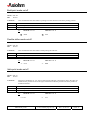
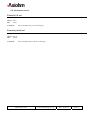
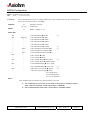
Set relative print position
ASCII ESC \ n1 n2
Hex
1B 5C n1 n2
Comments
n2
00
01
This command sets the print starting position to the specified number of dots (1/8 mm units) from the
current printing position, where position = current position + (n1 + n2 x 256). If the position
exceeds the print area, the command is ignored.
n1
00 - FF
00 - 80 for a printing area of 48mm ( 384 dots )
KRM kiosk printer
User's manual page 24 / 52
Ref. : 31 08 212
Issue : Z