1
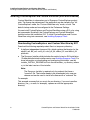
Installing CustomExplorer and Custom WaveView
Uninstalling CustomExplorer and Custom WaveView
Append /usr/dt/lib to your LD_LIBRARY_PATH environment variable. For
example:
setenv LD_LIBRARY_PATH /usr/dt/lib:$LD_LIBRARY_PATH
By default, the CDE window manager environment allows popup dialog
windows to appear behind the main application window. This default setting can
make it difficult to locate a dialog window that is hidden behind the main
window. To change the default setting, choose Style Manager > Window, and
deselect the "Allow Primary Windows On Top" option. The Style Manager can
be started from the Tools menu.
Uninstalling CustomExplorer and Custom WaveView
To uninstall CustomExplorer and Custom WaveView on UNIX, delete the entire
software installation directory.
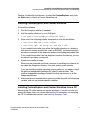
To uninstall the CustomExplorer and Custom WaveView on Windows, go to My
Computer > Control Panel > Add/Remove Programs, select
CustomExplorer from the list, and click the Add/Remove button to uninstall.
The uninstall operation varies slightly on other Windows O/S (Windows 2000/
XP/ME/NT). Please follow the standard application removal procedure in each
Windows environment to remove CustomExplorer.
Customer Support
For information about accessing customer support, see Installing Synopsys
Tools.
CustomExplorer and Custom WaveView Installation Guide
C-2009.09
19