1
Safety precautions
S
I
,i
I
11
l'
'
1
il
1
Warning;
when use this projector ,please read this manual carefully.
If wrong operation ,it will cause electric shock or fireso when use
and repair this projector ,please comply with the following points.
l ,Read manual
Beforr use thls projector ,please
read full manual carefully and
operate according to this manual instruction
?:Clear
when clear this projector ,please pull
out the power cable. Use the wet cloth
to clear,not the cleasner
Caution
..
9,protect the power cable
Please confirm the power cable
are perfect when connect the
projector.
10,Thunder
when the thunder hiappen or long timc
no u s e , please pull the power cable
out of projector.
11,Reoairmsnt
. .
As the high voltage inside ,please
donut o p e ~or
l try to repair the
projector by yourself. . Please ask a
professional technician to repair
the projector,
12, Far away Heat device
please make sure this projector far
away other heat device . It will
3.Accessury
please use our recommended accessory.
Or it will damage the projector.
4,Use environment
Donot place the projector in wet environment
5,installation and'fix
please place this projector in stable table
6 Ventilation
the ventilation in the projector are best
damage the projector service life
for projector work stably Donot let the dust
wall up the filter. Or it will cause the projector
high-temperature protected. So please use the
water to clear the filter per month.
7, Power
please make sure the power sane as your
projector inquiry specification. (220 V or llOV)
8, Earthing wire
this prujector has earthing wire
It is t h e e pin plug.
About the installation
In order to improve the projector service life,.
It shouldnot place in a wet and
ventilation condition,
Donot put the projector under the sunshine
directly.
Projector working temperature: 0°C--170°C.
Projector store temperature : -20C-+70'C.
Donot block (he ventilatiun-winduw
of projector
lflhe prujcctor interior temperahlre
are too hot. the machine will be shut
off automatically.This is hot protected system.
So please clean the filter of projector
per month . It is very important.
Donot let the dust cover the filter.
Warning :
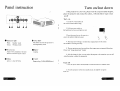
About Open and close the ~rojector
when open the projector ,connect
the power cable and press the "power"
key on the panel .the projector will
work ,bnt the lamp will be bright more
and more .After 5 minutes, the lamp work
normally
when close the projector, press the power
kcy again. And then the lamp shul uff.
But the fans still work until 5minutes later.
When close the projector ,donot pull out
thc powcr cable directly. After 5minutcs,
the projector will shut off automatically.
.
Fans will adjust the temperamure , it is controlled hy sysletn when tllc pra]cctor ivark,
the fans turn slowly or quickly, so the fans noise ore ditrerent. Bln il is nolmai.
when theprojcctor work ,donot pull out thepwer cable, if the fans stop 10 work,i! will cvusc
the projector interior tempemure very high, so it may dvrnvge the projecror.