1
Contents
Introduction
Welcome to Toshiba............................................................3
Important Safety Instructions..............................................3
Installation.....................................................................3
Use ...............................................................................4
Service...........................................................................5
Cleaning........................................................................6
Important information.........................................................6
Getting started
Connecting an antenna........................................................7
Exploring your new TV.......................................................7
Installing the remote control batteries...........................7
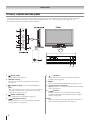
TV front, control and side panel .......................................8
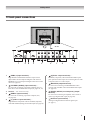
TV back panel connections.................................................9
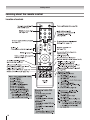
Learning about the remote control....................................10
Location of controls....................................................10
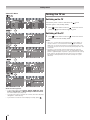
Learning about the menu system.......................................11
Displaying the Digital TV/Analog TV SETUP
menu chart . ................................................................11
Turning the TV on.............................................................12
Switching on the TV...................................................12
Switching off the TV . ................................................12
Tuning the TV for the first time........................................13
Programming channels into the TV’s channel memory....13
Full Search - digital only -..........................................13
Manual Search - digital only -....................................14
Auto Tuning - analog only -........................................14
Manual Adjust - analog only -....................................15
Channel List - digital only -........................................15
Sorting program position ...........................................15
Favorite Channel ........................................................16
Channel List - analog only -........................................16
Watching TV programs.....................................................17
Viewing Digital programs - digital only -...................17
Switching between two program positions.................17
Selecting the menu language .....................................17
Displaying the on-screen information.........................17
Setting the On-Screen-Display Time .........................17
Using the TV’s features (General)
Picture adjustment.............................................................18
Selecting the picture size............................................18
Using the picture still..................................................19
Adjusting the picture position - PC only -..................19
Automatically Adjusting the picture position PC only -.....................................................................19
Selecting the picture mode..........................................19
Adjusting the basic picture quality ............................19
Activating the DNR (Digital Noise Reduction) .........20
Selecting the color temperature...................................20
Using the active backlight control...............................20
Using the cinema mode . ...........................................20
Sound adjustment..............................................................21
Setting the MTS (Multi-channel TV Sound)analog only -...............................................................21
Selecting the dual 1 or dual 2 mode- analog only -....21
Selecting the stereo programs - analog only -.............21
Selecting the bilingual programs - analog only -........21
Adjusting the sound quality .......................................21
Using the Bass Boost..................................................22
Using the Virtual Surround.........................................22
The timers..........................................................................22
Setting the Current Time ............................................22
Setting the Wakeup Timer ..........................................22
Setting the Sleep Timer ..............................................22
Setting the Power Control ..........................................23
Setting the Banner Duration - digital / analog -..........23
Selecting the video input source to view...........................23
Teletext in Analog TV.......................................................24
Setting up the teletext mode........................................24
Teletext general information ......................................24
Using Auto mode........................................................24
Using LIST mode . .....................................................24
Teletext buttons on the remote control........................25
Teletext in Digital TV........................................................25
Reset to default setting .....................................................25
Other Digital TV features and settings
Setting the EPG (Electronic Program guide) digital only -........................................................................26
Password............................................................................26
Setting the Password...................................................26
Parental Rating..................................................................26
Setting the Parental Rating..........................................26
AV Connection .................................................................27
Subtitle..............................................................................27
Audio Preference...............................................................27
Selecting The Audio Mode ........................................27
Digital Output Format.................................................27
Connecting your TV
Back connections...............................................................28
Connection example....................................................28
Connecting an audio system - digital only -...............28
Connecting an amplifier equipped with a
Dolby Digital decoder.................................................28
Connecting an amplifier equipped with an MPEG
decoder........................................................................29
Connecting an amplifier equipped with a
digital audio (optical or coaxial) input........................29
Side connections................................................................29
Connection example....................................................29
Connecting an HDMI or a DVI device..............................29
Connecting an HDMI or a DVI device.......................29
Connecting an HDMI device......................................30
Connecting a DVI device ...........................................30
Connecting a computer......................................................30
Using the PC setting..........................................................31
Adjusting the picture size/position, the clock phase
of the picture and sampling clock ..............................31
PC of the Auto Adjust ................................................31
Reference section
Troubleshooting.................................................................32
Symptom and solution................................................32
Symptom and solution - digital only -........................32
APPENDIX.......................................................................33
AUSTRALIAN PARENTAL GUIDANCE CODES
(Normative).................................................................33
Broadcast system...............................................................34
Broadcast transmission systems of each country
or region......................................................................34
Specifications....................................................................34