1
XL-PR2B / LVT1180-001B / J
XL-PR2B / LVT1180-001B / J
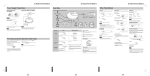
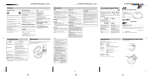
Power Supply Preparations
The illustration of the grip band is omitted.
XL-PR2B / LVT1180-001B / J
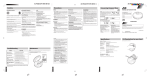
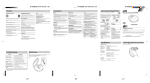
Other Play Methods
Basic Play
The illustration of the grip band is omitted.
Using the AC adaptor (not supplied)
Follow the steps in the numerical order.
Using dry-cell batteries
(not supplied)
Intro play
Program play
Anti-Shock Protection EX
You can successively play the first 10 seconds of every track.
You can program up to 24 tracks in any desired order including
the same tracks.
This function achieves excellent performance against sound interruption caused by vibrations. You will be able to enjoy listening
to music during (not vigorous) jogging.
By utilizing the high-performance servo circuit, audio data will be
stored in the memory ahead of time (up to 45 seconds worth).
Normally, this function is in effect.
Track number in play
AC power outlet
R
AC adaptor
7
L
01 02:53
While stopped,
1
MODE
Elapsed playing time of
each track
HBS
4
2
Two “AA” (LR6) alkaline batteries.
1
• Play stops automatically
when all the tracks have
been played.
While stopped,
PROGRAM
00 01
ANTI SHOCK
indicator
(Repeatedly)
HOLD
OFF
ON
2
Track number to be programmed
00: Not programmed yet.
2
Program sequence
number
As the audio data is gradually stored, the indicator changes as follows:
Select the desired track.
Caution:
Do not forcibly open the battery lid too wide.
[Fully stored]
1
Battery indicator
Firmly connect
Battery indicator
10 44:48
This indicator appears when the batteries are almost out of power.
Power will be cut off a short while later.
DC IN
4.5V
5
9
VOLUME
VOLUME
Label side
8
6
VOLUME
Press MODE repeatedly until “INTRO” goes out.
3
VOLUME
Notes:
• Even if the unit is turned off, small power is consumed as long
as the AC adaptor is connected to the AC power outlet.
• When you want to purchase the AC adaptor, see page 5.
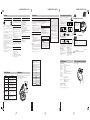
Operation
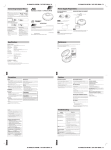
Tuner Operation
Display/reference
Button
Presetting stations
Changing the FM reception mode
You can preset up to 20 stations (frequencies).
When a broadcast is in stereo, “ST.” lights up and you can hear
stereo effects. However, if an FM stereo broadcast is hard to receive or noisy, you can select monaural (MONO) mode. Reception improves, but you lose the stereo effect.
Select the station you want to preset.
Use Manual or Auto tuning mentioned earlier.
1
2
107.0
Select a station.
3
01 107.0
MODE
10 44 48
While stopped,
107.0
Repeat play
During play,
Forward
Press MODE once again. “MONO” will go out.
The monaural mode is cancelled also by changing the frequency.
Fast forward/
reverse
Reverse
Search function
Manual tuning
Press ¢ or 4 repeatedly to select a station you want.
Auto tuning
Press PROGRAM.
Preset tuning
FM
2
HOLD
OFF
ON
MODE
Hyper-Bass Sound effect
You can enjoy powerful bass sound.
If the unit is left in stop mode for 30 seconds, the unit turns
itself off automatically to prevent the batteries from running
down.
(Remote Control)
(Repeatedly)
HBS
OFF
To cancel
ON
Press MODE repeatedly until the repeat indicator goes out.
Disc rotation noise
HOLD
Notes:
(OFF)
• You can also select Repeat play during Program play.
• You can also select Repeat play while stopped.
87.5
Preparation:
• When the unit malfunctions or freezes during use, disconnect the power source (the AC adaptor and batteries) once.
Then, re-connect the power source and continue operation.
• If tuner operation is abnormal, press the RESET switch to
reset the unit.
Release the remote control from the Hold mode.
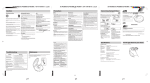
How to use the remote control
Skip function
Press during play.
Forward
Press during off or stop mode.
Notes:
To start play
Select the preset number you want.
RESET
PRESET UP
Fast forward/reverse
Reverse
Press during play.
PRESET DOWN
• Before turning on the unit, be sure that HOLD is OFF.
Otherwise, you cannot turn on the unit.
• The HOLD switch on the unit is effective for the unit only.
While, that on the remote control is effective for the remote control only.
HOLD
08 107.0
To stop play
Search function
Keep depressed during play.
Preset station
Preset number
(Repeatedly)
Press during stop mode.
Note:
When adjusting the volume using the remote control, set
the volume control on the unit to an appropriate position.
To turn off the unit
To adjust the volume
The preset broadcast stations you have made will be cleared
by the reset operation.
2
3
p2
4
p3
(ON)
• To prevent the unit from powering on accidentally, set the
HOLD switch to the ON position while the unit is turned off.
• To prevent the unit from unexpected operation during play, set
the HOLD switch to the ON position after you starts playing
the disc.
• When the unit is in Hold mode, ”HOLD” lights as follows.
Power on : “HOLD” stays lit.
Power off : “HOLD” lights up for a few seconds when 6 or
FM is pressed.
Using the Remote Control
1
Hold down ¢ or 4 for a while and then release it. The frequency automatically changes up or down to find the next station.
To use the Hold mode
Turn off the unit.
Auto power off
The portable CD player uses a power-saving operation method
so that disc rotation noise will intermittently be emitted. But, it
is not a failure.
Keep depressed during play.
• Powering on the unit accidentally (which can cause the batteries to go dead).
• Play being cut off unexpectedly.
• To delete the entire program
During playback,
• To skip back to the previous track, quickly press 4
twice.
• During Program play, the button is used to fast forward or back through the programmed sequence of
tracks.
• During Random play, the skip button cannot be used
to skip back to tracks that were played previously in
the random sequence.
Notes:
• During this operation, the disc rotates at a higher rate than usual
in order to collect extra audio data. This may cause the batteries
to run out faster and could result in a slight increase in disc rotation noise.
• This function can be switched ON and OFF during playback.
However, this may cause a slight interruption in the sound because the disc’s rotational speed changes.
Hold mode prevents the following:
While stopped, press PROGRAM repeatedly. At this time, you
can add and change the program, if required.
You can repeat one track or all tracks.
Skip function
Press the ASP button.
This function causes the unit to ignore, accidental button presses.
• You can also select Random play in stop mode.
• During Program play, you can not select Random play.
No indication
To activate again
Preventing Accidental Operation (Hold
mode)
5
Notes:
Turn off the unit and, after the disc has stopped rotating, remove
the disc as shown below:
To turn off the
unit
Preset number
4
Press MODE until “RANDOM” goes out, or press 7 to stop the disc.
• To confirm the program
Turning off the unit
PRESET DOWN
To cancel
Total playing time
To cancel the monaural mode
08 107.0
After playing all tracks, the unit stops.
Removing discs
Repeat steps 2 and 3.
When you program exceeding 24 tracks, the program sequence number returns to “01” and will overwrite the previous setting.
(Repeatedly)
“OPEn”
Total number of tracks
To stop
Select the preset number (01~20) you want.
PRESET UP
4
This indication appears when the lid is open.
“MONO” appears.
PROGRAM
The track is registered.
MODE
“– –”
Press again to restart play.
During play,
Next program sequence number
“dISC”
Preparation period before playing the track
Flashes for several seconds after pressing 3/8 to play.
To select the monaural mode
2
FM
07 00 18
00 02
During playback,
For your reference:
This indication appears if 3/8 is pressed when no disc is loaded
or if the disc is not properly seated.
To pause
1
The “ANTI SHOCK” indicator goes out.
Random play
During play,
Manual/Auto tuning
A.S.P.
3
PROGRAM
Turning off the Anti-Shock Protection EX will save the battery power
more or less. For details, see “Anti-shock Protection EX” on page 4.
To cancel
e.g. Track number 3
Notes:
• You can also select Intro play during playback.
In this case, Intro play will start from the next track after the
current track has finished.
• You can also select Intro play during Program play mode.
Note:
You can listen to FM stations by tuning in manually, automatically, or using preset memory.
For best reception, extend the headphone cord (antenna).
03 01
To cancel
p4