1
Execution and debugging
13
3
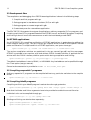
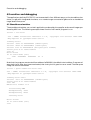
printf(“Hello world!\n”);
(gdb) cont
Continuing.
Program exited with code 03.
(gdb)
Note that the program has to be loaded each time before it is started with ‘run’. This is to initialise
the data segment to the proper start values. It is possible to switch between several targets (real or
simulated) in the same GDB session. Use the GDB command detach to disconnect from the present
target before attaching a new one.
4.4 Using DDD
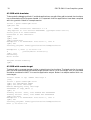
DDD is a graphical front-end to gdb, and can be used regardless of target. To start DDD with the
debugger use:
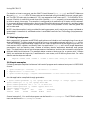
ddd --debugger sparc-rtems-gdb --attach-window
A small script, dddx, is provided to start DDD in this configuration. You might need the full path in
front of DDD if you already have a version of ddd installed. To get the source code displayed in the
ddd window, click on locate(). The required gdb commands to connect to a target can be entered in
the command window. See the GDB and DDD manuals for how to set the default settings. If you have
problems with getting DDD to run, run it with --check-configuration to probe for necessary libraries
etc. DDD has many advanced features, see the manual in erc32/doc (ddd.pdf) or the on-line manual
under the ‘Help’ menu.
4.5 Remote target monitor
The directory src/rdbmon contains the remote monitor which needs to be running on the target
board to allow remote target debugging with gdb. The monitor supports ‘break-in’ into a running program by pressing Ctrl-C in GDB or interrupt in DDD. The two timers are stopped during monitor
operation to preserve the notion of time for the application. Note that the remote debugger monitor
only works with programs compiled with ERC32CCS, and thus NOT with programs compiled with
Aonix Ada, VxWorks or similar.
Type make to build the monitor. Depending on desired baudrate type either ‘make m38k4’, ‘make
m19k2’ or ‘make m9k6’. Program the resulting *.srec file to you boot-prom. The remote debugger will
be attached via UART B, console is on UART A. The maximum baudrate depends on the system clock
of the target, 38K4 has been successfully used with a zero-waitstate ERC32 system running at 10
MHz. The monitor installs it self into the top 32K of ram. It therefore needs to know how large the
ram is. The default ram size for the monitor is 2 Mbyte, adjust the Makefile if your system has different size.