1
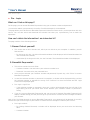
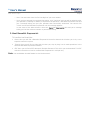
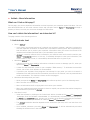
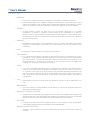
» User’s Manual Other Access > Login > Page 2 » Pre - Login What can I find on this page? On this page, you can access BancaNet Empresarial using your customer number and password. You can also unblock your password, since after five failed attempts it will be blocked. This page allows you to browse our BancaNet Empresarial Interactive Demo and try a new experience with this service. You can also watch and download the tutorials that show you, systematically, how to make the operations. How can I obtain the information I am interested in? The page consists of the following sections: 1. Banner Protect yourself! This section has an Anti-intruder tool, which you can install on your computer. In addition, you will find two links: o By clicking on this link, the More Information window will be displayed with information about the Anti-Intruder tool (Anhlab) o Install Now: By clicking on this link, the Anti-Intruder Tool Installation window will be displayed. 2. BancaNet Empresarial: This section contains two text fields: o Customer Number: You must enter your customer number here. o Password: You must enter your password here. Once you have entered your customer number and password, Dynamic key, click "Enter" to access BancaNet Empresarial. In case the customer number or password is incomplete, a window will be displayed telling you that the customer number or password is wrong. Click "Continue" to close the window and the Login screen will be displayed again. Pre-Login –Login Error o If the customer number or password is incorrect, a notice will be displayed on the left side of the page telling you that you cannot have access because your customer number or password is wrong. If you try to access BancaNet Empresarial and your account is blocked, BancaNet Empresarial will display a window telling you that you must go to your branch or contact the user manager to unblock your account. Note: After five failed attempts to access BancaNet Empresarial, your password will be blocked for security reasons and you will have to go to your branch or contact the user manager to unblock your account. Pre-Login unblock: o By clicking Unblock Password, a window will be displayed where you must enter the following data: o Customer Number