1
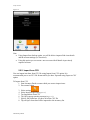
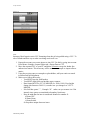
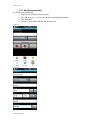
50 | P A G E 8.3. Scanning Custom Barcode To scan a custom barcode is similar to scanning any commercial barcode. The difference is that custom barcodes provide more user-specific information that will be auto-filled. Use Add Items using Barcode Scanner. 9. Inventory Desk Inventory Desk is FREE utility that was created to compliment the Android-based Inventory Droid application. The initial and current releases will be limited in features but eventually this application will provide mechanisms to add/remove/edit items from Accounts created with on Android with Inventory Droid. Those changes can be reimported back into Inventory Droid for use. The current release only supports Windows (XP/Vista/7) based host machine. 9.1. Syncing Inventory Droid and Desk Currently, Inventory Droid and Desk can only sync using .ida files. Many tools are readily available to easily move .ida files between Android phone and Desktop PC. Steps for moving .ida to Inventory Desk: 1) Do an Export to Backup on the account. 2) Use one of the following methods to copy .ida to PC: a. Mount your Android Phone using USB Cable as Mounted Drive and copy .ida. b. Use Dropbox or similar application. c. Email the .ida to yourself. 3) Open .ida on Inventory Desk. Steps for moving .ida to Inventory Droid: 1) Save your .ida. 2) Use one of the following methods to copy .ida to Android: a. Mount your Android Phone using USB Cable as Mounted Drive and copy .ida. b. Use Dropbox or similar application. c. Email the .ida to yourself. 3) Do an Import from Backup to import .ida. Inventory Droid