1
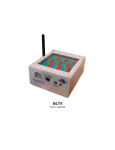
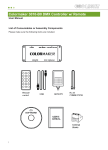
PX750 Control Panel
The PX750 fixture incorporates our Auto Address technology. The Auto Address technology automatically sets the
fixture address to one of channels used by the remote transmitter.
Indicator Light
The indicator light identifies one of three settings the PX750
can be run from.
Green - Fixture is set to run with ColorRoll Disabled.
Red - Fixture is set to run with ColorRoll Enabled
Orange - Fixture is in Auto Address Mode waiting for
signal from transmitter.
Auto Addressing
The auto address feature automatically sets the address from
the data received from the transmitter. The PX750 must be
set to receive the address codes before the data is sent from
the transmitter. Follow these next steps to program address.
1) Power up the PX750
2) Press and Hold the Program Button until the indicator light turns Orange. This identifies the PX750 is ready to
receive address codes from the transmitter.
Be sure you don’t have any other transmitter operating within the range of the PX750 being programmed.
3) Select the Q button on the transmitter you want to use to control the fixture then adjust the dimmer levels by
pressing the UP keys on the Red, Green or Blue.
Once you have done this the indicator light on the PX750 will turn Green identifying the address has be set and the
fixture will follow the adjusted colors. This procedure can be performed as many time as needed.
Compatabilty
The PX750 can be controlled with all ColorMaker controls some features are not accessable with ealier remotes. The
PX series PX-T10 and ColorFx use a diffrent data stream to control as there are more features in the PX series. The
PX750 software will automatically set the proper receiver format to match the remote when the auto addressing the
fixture.
ColorRoll Option
After the address has been set you can adjust the PX750 ColorRoll option. The ColorRoll option can be changed by
pressing the Program button. Be sure to press and release the program button within 1 second or the fixture will start
the Auto Address mode. ColorRoll option is identified by the indicator light. Red identifies ColorRoll is enabled and
Green identifies ColorRoll is disabled. This option is only valid when the PX750 is set to channel mode 1. The 8
channel mode does not use the ColorRoll option.
www.ColorMaker.net | (407) 862-3363