1
www.pulsar.pl
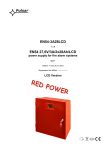
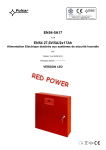
EN54-5A17LCD
RED POWER
TABLE OF CONTENTS
1. PSU FEATURES: .................................................................................................................................... 4
2. PACKAGE CONTENTS. ....................................................................................................................... 5
3. FUNCTIONAL REQUIREMENTS OF THE PSU. ............................................................................. 6
4. TECHNICAL DESCRIPTION. ............................................................................................................. 7
4.1. GENERAL DESCRIPTION........................................................................................................................................................ 7
4.2. BLOCK DIAGRAM. ................................................................................................................................................................ 7
4.3. DESCRIPTION OF COMPONENTS AND POWER SUPPLY TERMINALS. ........................................................................................ 8
5. INSTALLATION................................................................................................................................... 11
5.1. REQUIREMENTS. ................................................................................................................................................................ 11
5.2. INSTALLATION PROCEDURE. .............................................................................................................................................. 11
6. FUNCTIONS. ......................................................................................................................................... 13
6.1. CONTROL PANEL. .............................................................................................................................................................. 13
6.2. FIRST RUN OF THE PSU – LANGUAGE SELECTION SCREEN.................................................................................................. 14
6.3. MAIN SCREEN OF THE LCD. ............................................................................................................................................... 14
6.4. INFORMATION DISPLAYED ON THE LCD PANEL. ................................................................................................................ 15
6.4.1. Preview menu. ............................................................................................................................................................ 15
6.4.2. LCD screen – current parameters
6.4.3. LCD screen – current failures
. ..................................................................................................................... 16
. ........................................................................................................................... 17
6.4.4. LCD screen – history of the parameters
. ............................................................................................................ 17
6.4.5. LCD screen – history of events
. .......................................................................................................................... 19
6.4.6. List of failure codes and information messages. ........................................................................................................ 20
6.5. TECHNICAL OUTPUTS. ........................................................................................................................................................ 21
6.6. INPUT OF COLLECTIVE FAILURE EXTI. ............................................................................................................................... 22
6.7. INDICATION OF THE ENCLOSURE OPENING - TAMPER. ..................................................................................................... 23
6.8. INCREASING THE NUMBER OF OUTPUTS WITH OPTIONAL EN54-LB4 OR EN54-LB8 FUSE MODULES. ................................ 23
6.9. OVERVOLTAGE PROTECTION OF THE PSU OUTPUT OVP. ................................................................................................... 24
6.10. PSU OVERLOAD. .............................................................................................................................................................. 24
6.11. INDICATION OF EXCEEDING THE „IMAX A” CURRENT. ...................................................................................................... 24
6.12. SHORT-CIRCUIT OF THE PSU OUTPUT. ............................................................................................................................. 24
7. PSU SETTINGS. .................................................................................................................................... 25
7.1. PASSWORD. ........................................................................................................................................................................ 25
7.1.1. Entering the password. ............................................................................................................................................... 25
7.1.2. Changing the password. ............................................................................................................................................. 26
7.1.3. Disabling the password. ............................................................................................................................................. 26
7.1.4. Resetting passwords. .................................................................................................................................................. 26
7.1.5. Keyboard lock. ........................................................................................................................................................... 27
7.2. PSU. .................................................................................................................................................................................. 28
7.2.1. Battery test activation. ................................................................................................................................................ 28
7.2.2. Acoustic indication ON/OFF ...................................................................................................................................... 29
7.2.3. EXTo output ON/OFF ................................................................................................................................................ 30
7.2.4. Setting the delay time for EPS output indicating 230V AC power loss. ..................................................................... 30
7.2.5. Setting the communication address
applies to cooperation with PowerSecurity. ............................................. 31
7.2.6. Setting the transmission parameters
applies to cooperation with PowerSecurity. ........................................... 32
7.3.CONTROL PANEL. ................................................................................................................................................................ 33
7.3.1. Setting the display language ....................................................................................................................................... 34
7.3.2. Setting the date ........................................................................................................................................................... 34
7.3.3. Setting the time ........................................................................................................................................................... 35
7.3.4. Setting the backlight mode.......................................................................................................................................... 35
7.3.5. Contrast setting .......................................................................................................................................................... 36
7.3.6. Blinking light indicating failure ................................................................................................................................. 36
2