1
-
Any point feature recorded during the 20 minute period must be average for at
least 30 seconds
If you do not maintain satellite lock for more than 20 minutes, you will still be able to
post-process your data but accuracy can be degraded. If the period of continuous lock
is less than 5 minutes, the real-time positions recorded in the receiver may be more
accurate than the post-processed positions. If you cannot maintain lock for more than
2-3 minutes, it is possible that MobileMapper Office will not be able to post-process
the data at all. Any feature that could not be post-processed will continue to be
displayed by MobileMapper Office with its real-time position.
2. Allow the receiver to have full “view” of the sky.
There are three ways to achieve this:
a. While you do not need a survey-grade external antenna for sub-meter accuracy,
using one will yield better accuracy.
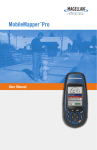
Survey-grade antennas such as the one used by the Magellan ProMark3 are built
to higher specifications enabling them to pick up GPS signals more reliably and
will less distortion. Some tests have shown that when using a ProMark3 antenna,
the MobileMapper Pro yielded accuracy less than 50 cm as opposed to less than
100 cm with the MobileMapper Pro’s internal antenna. Note: the magnetically
mounted external antenna sold as an option for MobileMapper Pro is for real-time
use only in vehicles when the MobileMapper Pro cannot be positioned in the
vehicle with a clear view of see the sky. Accuracy with the internal antenna in an
open area is better than with the magnetically mounted antenna.
b. If you are not using an external antenna, keep the MobileMapper Pro receiver
vertical the entire time a job is open, not just when you are logging data to a
feature. The internal antenna element is more sensitive to GPS signals and rejects
multipath more effectively when it is vertical. It still works when horizontal, but
not as well. There is a separate tech note on this topic.
c. If you are not using an external antenna, keep the MobileMapper Pro receiver at
eye level the entire time a job is open, not just when a feature is open.
When you hold the receiver at eye level, your head and body do not block the
internal antenna’s view of the sky. It still works when at chest level, but not as
well. There is a separate tech note on this topic.
3. Keep the receiver (or external antenna) stationary for 5-10 seconds before opening
any point feature.
The MobileMapper Pro receiver is equipped with a velocity filter that improves the
accuracy of line and area features by averaging the receiver’s velocity over a small
number of epochs. To ensure that the receiver turns off the filter and recognizes that
the receiver is now stationary over a point, remain stationary for 5-10 seconds before
opening a point feature.
4. Average all point features for at least 30 seconds.
The longer you average positions recorded for point features, the greater the accuracy.
The improvement in accuracy diminishes over time. MobileMapper Pro has been
Magellan Professional
Optimizing Accuracy with MobileMapper Pro
Page 2 of 5