1
1. Table of Contents
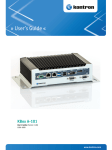
KBox B-101 – User’s Guide (Version 1.00)
1. Table of Contents
1. Table of Contents ..................................................................................................................................... 1 1.1. Table of Figures...................................................................................................................................... 2 2. Introduction ........................................................................................................................................... 4 2.1. Symbols used in this Manual..................................................................................................................... 5 3. Important Instructions............................................................................................................................. 6 3.1. Warranty Note ....................................................................................................................................... 6 3.2. Exclusion of Accident Liability Obligation.................................................................................................... 6 3.3. Liability Limitation / Exemption from the Warranty Obligation ........................................................................ 6 4. General Safety Instructions for IT Equipment............................................................................................... 7 4.1. Electrostatic Discharge (ESD) ................................................................................................................... 8 4.1.1. Grounding Methods.......................................................................................................................... 8 4.2. Instructions for the Lithium Battery........................................................................................................... 9 5. Electromagnetic Compatibility (Class A Device) ..........................................................................................10 5.1. Electromagnetic Compatibility (EU) ..........................................................................................................10 5.2. FCC Statement (USA)..............................................................................................................................10 5.3. EMC Compliance (Canada) .......................................................................................................................10 6. Scope of Delivery ....................................................................................................................................11 6.1. Type Label and Product Identification .......................................................................................................11 7. Product Description ................................................................................................................................12 7.1. Front Side ............................................................................................................................................13 7.1.1. Power Supply Unit (AC) ....................................................................................................................13 7.1.2. Controls and Indicators....................................................................................................................13 7.1.3. Interfaces on the Front Side..............................................................................................................15 7.2. Rear Side .............................................................................................................................................17 7.3. Right/Left and Top Side..........................................................................................................................18 7.4. Bottom side .........................................................................................................................................19 8. Handling internal Components .................................................................................................................20 8.1.1. Opening and Closing the KBox B-101..................................................................................................20 8.1.2. Installing/Removing Expansion Cards.................................................................................................21 8.1.3. Replacing the Lithium Battery ...........................................................................................................22 9. Setting up the KBox B-101.......................................................................................................................23 9.1. KBox B-101 – Desktop Version .................................................................................................................24 9.2. Wall/Table Mounting using the Brackets ....................................................................................................25 9.2.1. Brackets for Wall Mounting ...............................................................................................................25 9.2.2. Brackets for Table Mounting .............................................................................................................26 10. Starting Up ..........................................................................................................................................27 10.1. AC Power Connection............................................................................................................................27 10.2. Operating System and Hardware Component Drivers...................................................................................28 11. Maintenance and Prevention ..................................................................................................................29 12. Technical Data ......................................................................................................................................30 12.1. Electrical Specifications ........................................................................................................................31 www.kontron.com
1