1
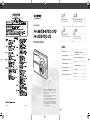
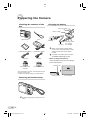
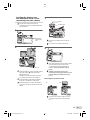
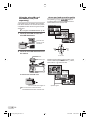
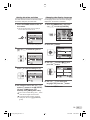
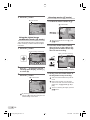
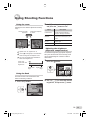
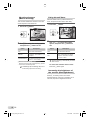
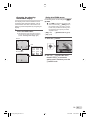
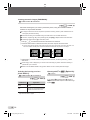
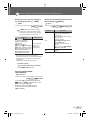
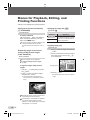
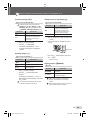
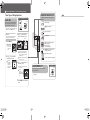
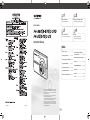
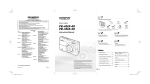
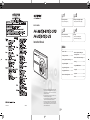
Step 1 Step 2 Preparing the Camera Shooting and Playing Back Images “Preparing the Camera” (p. 10) “Shooting, Playback, and Erasing” (p. 14) DIGITAL CAMERA Step 3 Step 4 How to Use the Camera Printing “Three Types of Setting Operations” (p. 3) “Direct printing (PictBridge)” (p. 34) “Print Reservations (DPOF)” (p. 37) Instruction Manual Contents ¾ Names of Parts ......................................6 ¾ Menus for Playback, Editing, and Printing Functions ...............................28 ¾ Preparing the Camera .........................10 ¾ Menus for Other Camera Settings .....31 ¾ Shooting, Playback, and Erasing .......14 ¾ Printing .................................................34 ¾ Using Shooting Modes........................17 ¾ Using OLYMPUS Master 2...................39 ¾ Using Shooting Functions ..................19 ¾ Usage Tips ...........................................41 ¾ Using Playback Features ....................22 ¾ Appendix ..............................................45 ¾ Menus for Shooting Functions ...........24 ¾ Index .....................................................59 ● Thank you for purchasing an Olympus digital camera. Before you start to use your new camera, please read these instructions carefully to enjoy optimum performance and a longer service life. Keep this manual in a safe place for future reference. ● We recommend that you take test shots to get accustomed to your camera before taking important photographs. ● In the interest of continually improving products, Olympus reserves the right to update or modify information contained in this manual. Printed in China ● The screen and camera illustrations shown in this manual were produced during the development stages and may differ from the actual product. Unless otherwise specied, the explanation about these illustrations is provided for FE-360/X-875/C-570. VS865901 2 00_H4_FE360_en.indd 62 6/23/2008 12:00:02 PM 00_cover_FE360_en.indd 1 6/23/2008 11:56:33 AM EN 01_outline_menuoperation_FE360_e2 2 6/23/2008 11:57:19 AM