1
User Manual
59300235
5.4.2007
AC6951
Rev.002
21(30)
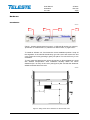
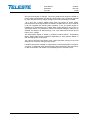
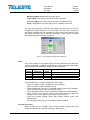
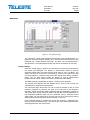
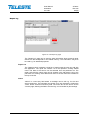
The alarm severity setting is user configurable by double-clicking a discrete
parameter. This will open a dialog box which can be edited by users with at
least "Service" level user rights. For others this is read-only information.
Figure 11. The discrete alarm configuration dialog box
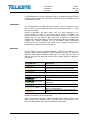
Alarm control
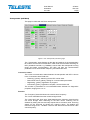
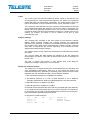
Alarm control frame provides independent on-delay and off-delay timers. The
time delay feature can be used to eliminate false alarm triggering due to
momentary disturbances. An alarm is only active when “Detection” is enabled
and the monitored parameter has been over limit longer than "Delay On" time.
Alarm goes off when the parameter has been inside limits longer than "Delay
Off" time.
The settings on the “Alarm control” frame can be edited by a user with at least
Service level user rights. For others this is read-only information. It is
recommended not to change these values from their factory default value 1 s
without fully understanding the effects on EMS system performance.
Alarm log
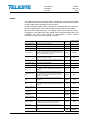
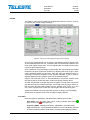
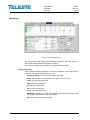
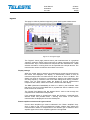
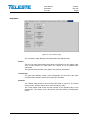
Clicking the "Alarm log" button on "Monitoring" page opens alarm log dialog.
Figure 12. The Alarm log dialog
The “Alarm log” dialog box displays the alarm history for latest 32 events. The
list is stored in non-volatile memory. All entries are date and time stamped with
the most current entry at the bottom. Note that date/time information may not be
correct for events that occurred before latest reset.