1
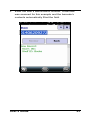
Receive Data>Directoriy to put files from device – change where the data files are stored on the host PC from the default location using the Browse button. Append – append the newly collected to existing data file on the host. Replace – replaces an existing data file with the recently collected data file. Automatically make a backup copy of the data. Choose which files to copy from the device to the host. Use separate directories for each device – if you are transferring data from multiple devices, checking this button tells Pal to create separate directories for the files from each device.. Automatically remove the data files from the device once they have been transferred. User’s Guide 17