1
About Pal
The Datalogic mobile computer you purchased is ready
to use for many applications, including Internet access
(network connection required) and simple scanning into
applications such as WordPad. However, you may require a more streamlined approach to address your data
capture needs. Pal is an easily customizable program
that is ready-to-use for these data entry needs.
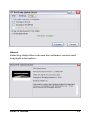
When you install Pal on your host PC, it automatically
checks to see if a device is connected. If a compatible
Datalogic mobile computer is found, Pal checks to see if
the client software is resident. If not, you are asked if you
want to install Pal on the device.
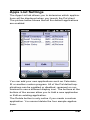
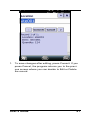
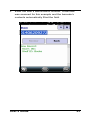
Once you have installed the client software on the device, it is ready for use. As shown in the following picture,
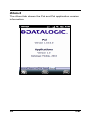
the Pal client includes four sample data collection applications called Shelf Inventory, Asset Tracking, Shelf Replenishment and Order Entry. The Pal client also includes a configuration application called Pal Settings
which can be used to either modify the sample applications or create custom applications.
NOTE
Since Pal runs on a variety of Microsoft
Windows™ operating systems, the screen
shots in this manual may differ slightly
from the ones displayed on your device.
The sample applications are fully customizable. The user
and data prompts, application titles, banner logo and
program icons can all be changed to provide a unique
look and feel to each application. In addition the data
input requirements (e.g. text or numeric) for each data
field can be changed using Pal Settings.
User’s Guide
1