1
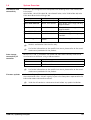
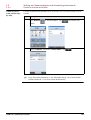
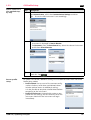
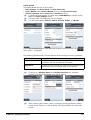
Introduction Purchase Congratulations on the purchase of a Leica iCON site software. Symbols The symbols used in this manual have the following meanings: Type Description Important paragraphs which must be adhered to in practice as they enable the product to be used in a technically correct and efficient manner. Trademarks • Windows is a registered trademark of Microsoft Corporation in the United States and other countries All other trademarks are the property of their respective owners. Validity of this manual This manual applies to the Leica iCON site software. Available documentation Name Description/Format Leica iCON site How to Guide This guide is intended to introduce you to the iCON site software, and explain how it connects and operates with other Leica Construction products. Included are detailed descriptions of special settings and functions. Refer to the following resources for all Leica iCON site documentation/software: • the Leica USB documentation card • https://myworld.leica-geosystems.com myWorld@Leica Geosystems (https://myworld.leica-geosystems.com) offers a wide range of services, information and training material. With direct access to myWorld, you are able to access all relevant services whenever it is convenient for you, 24 hours a day, 7 days per week. This increases your efficiency and keeps you and your equipment instantly updated with the latest information from Leica Geosystems. Service Description myProducts Add all Leica Geosystems products that you and your company own. View detailed information on your products, buy additional options or Customer Care Packages (CCPs), update your products with the latest software and keep up-to-date with the latest documentation. myService View the service history of your products in Leica Geosystems Service Centres and detailed information on the services performed on your products. For your products that are currently in Leica Geosystems Service Centres view the current service status and the expected end date of service. mySupport Create new support requests for your products that will be answered by your local Leica Geosystems Support Team. View the complete history of your Support and view detailed information on each request in case you want to refer to previous support requests. iCON site, Introduction 2