1
Using Quick SMS tool to send Bulk SMS.
As the name implies, the Quick SMS tool will let you send SMS quickly. If all you want to send is between 1 to 50
SMS, use this tool, but if you are sending more than this number, use the tool as discussed on page 10
Step 1. Open Quick SMS tool
Login to your account using the details sent to you in the
Welcome SMS by the Admin. In the Application tools
window, click the Quick SMS icon to load it.
Step 2. Enter recipients' GSM numbers
In the Recipients box, type the GSM numbers of the
people you want to send the Bulk SMS to. Use
international GSM number format to type those
numbers. For example, if the number is 08023329131,
type it this way +2348023329131. Notice that +234
preceded the number and the first zero (0) is not
included.
You must use international numbering format to type the numbers. Again do not use comma (,) to separate the numbers.
When you type the first number, press the Enter key on the keyboard to enter a line for the next number. For example;
+2348023329131
+2348036515556
+2348052343160
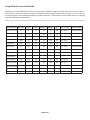
The Sender ID
The Sender tool gives you the option of using either Alphanumeric (alphabet and numbers) or Numeric (using just
numbers). With the Alphanumeric, you can type the name of the organization as the Sender ID, for example XYZ Church.
YOU CAN ONLY USE ONE OPTION, EITHER ALPHANUMERIC OR NUMERIC
Step 3 . Using Alphanumeric Sender ID
To use Alphanumeric ID, click the Alphanumeric check
box, and then in the text box next to it, type the name
you want recipients to see on their phone as the sender.
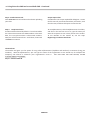
Step 4. Using number as Sender ID
Click Number check box, and then click the arrow in the
box next to it to display registered numbers. Then select
the number you want to use as the Sender ID.
NOTE: You must register a number before you can use it
as a Sender ID. To register a number, see the topic;
Registering a number as a Sender ID
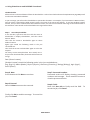
Step 5. Type your message: In the Message box, type
the text message you want to send to the recipients.
The text limit is 160 characters (including dots, spaces
and punctuations). As you type, you will notice that the
character will be reducing showing you what is left.
Make sure your text limit does not exceed 160, if it does,
you will be billed 2 SMS credits.
Step 6. Send: Check your text message for errors, make
corrections, and then click Send. You Bulk SMS is sent!
PAGE ONE