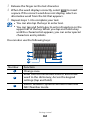
1
7
location.
Select Save.
››Open a document
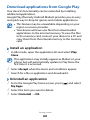
1 In Idle mode, open the application list and select Polaris
2
3
Office.
Select a folder under My files or Recent documents → a
document file.
View the document as desired.
Available options may vary depending on a document
type.
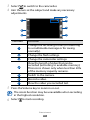
To zoom in, place two fingers on the screen and spread
them apart. To zoom out, move your fingers closer
together. You can also press [ ] → Zoom → an
option), or double-tap the screen.
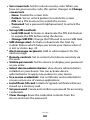
●● To open the toolbar to edit the document (word,
presentation, or excel file), press [ ] → Edit mode.
●● To search for text on the document, press [
] → Find.
●● To bookmark the current page, press [
] → Bookclip.
●● To send a file to others, press [
] → More → Send file.
●● To customize the settings for displaying or managing
documents, press [ ] → More → Settings.
●●
››Manage documents online
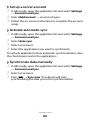
1 In Idle mode, open the application list and select Polaris
2
3
4
Office.
Select Web files → a service.
Enter your email address and password to access your
account, and then select Add.
View and manage your documents on the server as
desired.
Tools
102