1
Magma
Chapter 2-A
Hardware Installation (EB2200-S8) ............................................................................................... 40
Installation-Procedures Overview ..............................................................................................................................41
Open Enclosure (STEP 1) .........................................................................................................................................41
Install Ipass Expansion Interface card (STEP 2) ...................................................................................................42
Install Host Interface card (STEP 3) ......................................................................................................................43
Install PCIe Cards (STEP 4) ......................................................................................................................................45
Connect Ipass Cable (STEP 5) ................................................................................................................................48
Attach Power Cord (STEP 6) ...................................................................................................................................49
Connect to Electrical Outlets (STEP 7) ..................................................................................................................50
Turn ON Expansion Unit (STEP 8) .............................................................................................................................51
Power ON the Computer (STEP 9) .........................................................................................................................51
Hardware Check (STEP 10) .....................................................................................................................................51
Chapter 2-B
Software Installation (EB2200-S8) ................................................................................................... 53
Software Check - Verify Installation (STEP 11) .....................................................................................................53
Check Magma Device - Windows 7 and 8 .........................................................................................................53
Check Magma device - Mac OS X ......................................................................................................................54
Check Magma device – Linux...............................................................................................................................55
How To Check PCIe cards - Mac OS X................................................................................................................. 55
How To Check PCIe cards - Windows7 and 8.....................................................................................................56
Chapter 2-C Storage Device Installation / Configuration (EB2200-S8) ............................................................. 57
Disk Drives Installation ..............................................................................................................................................57
Controller Card Installation.....................................................................................................................................58
SAS / SATA Raid Configuration ..............................................................................................................................60
Disk Utility on Mac OS X ...........................................................................................................................................67
Disk Management on Windows OS ......................................................................................................................70
What is Disk Management? ...................................................................................................................................70
How To Access Disk Management: ......................................................................................................................70
Chapter 3
Advance Technical Information........................................................................................................ 74
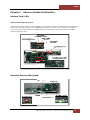
Interface Card & LEDs..................................................................................................................................................74
Expansion Board and Backplane ..............................................................................................................................74
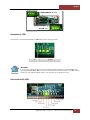
Backplane & LEDs .........................................................................................................................................................75
Link and Activity LEDs ...................................................................................................................................................75
PCIe SLOT Link up LEDs .................................................................................................................................................76
Internal Front Fan (Control Settings) ..........................................................................................................................77
Rack-Ears Installation....................................................................................................................................................77
Rackmount Kits ..............................................................................................................................................................78
Securing the Top Cover ...............................................................................................................................................79
ExpressBox 2200 |
3