1
TURNS 3 to 5
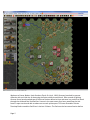
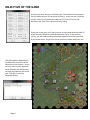
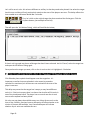
Play through the remaining turns, keeping in mind what you have done through the first two. You may have to
fight off a counterattack by the Soviets as they try and recapture their lost Barracks.
Here are a few additional tips to help you learn the game quicker.
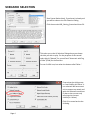
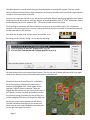
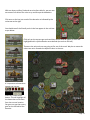
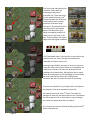
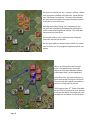
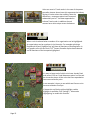
To check any units’ statistics, chain of command and
special unit abilities, right click the Hex Info Area while the
desired hex with the unit(s) is selected.
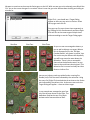
You will see the chain of command for a unit on the left; on
the right appear its various combat factors, speed, and
special abilities, if any.
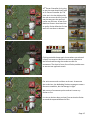
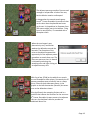
The Hard, Soft & AA values are Attack/Range respectively.
The Assault value is used both when attacking and
defending in Assault combat. The Defense value is used
when fired upon while Speed is modified by the type of
unit and whether it is deployed or in Travel mode.
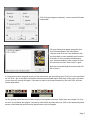
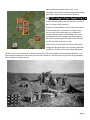
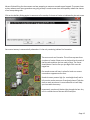
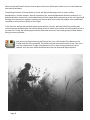
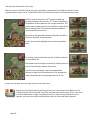
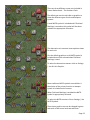
The Terrain Information box provides a lot of information on the currently selected
hex. In the example to the left, the hex is predominantly scattered buildings at an
elevation of 180 meters with Russian owned improved positions. It is also an
objective (worth fifty points) and in supply. Local visibility is up to four hexes.
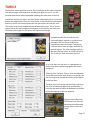
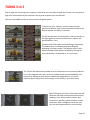
Right Clicking on the Terrain Information box will
show both hex side information and the current
stacking in hex. White numbers means road
movement is possible, yellow numbers no road
movement, while red digits are over the road
limit and accruing penalties for over-stacking.
Page 21