1
Obelux MI-2KR-A
04.06.2014
Page 2/17
User Manual
Table of contents
1 Overview ................................................................................................................................................................... 3
2 Models ...................................................................................................................................................................... 3
3 Options ..................................................................................................................................................................... 4
4 Mounting sets ........................................................................................................................................................... 4
5 Dimensions ............................................................................................................................................................... 4
5.1
Horizontal mounting set .................................................................................................................................... 5
5.2
Plate mounting set............................................................................................................................................. 5
5.3
Vertical mounting set ......................................................................................................................................... 6
6 Parts ......................................................................................................................................................................... 6
7 Options ..................................................................................................................................................................... 7
7.1
Ethernet/IP network ........................................................................................................................................... 7
7.2
GPS ................................................................................................................................................................... 8
7.3
Infrared .............................................................................................................................................................. 8
8 Installation ................................................................................................................................................................ 8
8.1
Verify model ...................................................................................................................................................... 8
8.2
Configuration ..................................................................................................................................................... 9
8.2.1
Light head type .......................................................................................................................................... 9
8.2.2
Flash rate .................................................................................................................................................. 9
8.2.3
Photocell .................................................................................................................................................. 10
8.2.4
Device mode ........................................................................................................................................... 10
8.2.5
Reserved setting ..................................................................................................................................... 10
8.3
Mounting .......................................................................................................................................................... 11
8.3.1
Physical installation ................................................................................................................................. 11
8.3.2
Alarm relay .............................................................................................................................................. 11
8.3.3
Using with DC power supply ................................................................................................................... 11
8.3.4
Wiring ...................................................................................................................................................... 11
8.3.5
Connectors - Mains power in and Mains power out ................................................................................ 12
8.3.6
Connectors - Grounding .......................................................................................................................... 12
8.3.7
Connectors – Alarm and RS-485 ............................................................................................................ 13
8.3.8
Post-installation actions .......................................................................................................................... 14
8.3.9
Power-On ................................................................................................................................................ 14
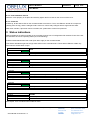
9 Status indications ................................................................................................................................................... 14
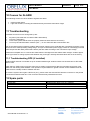
10 Causes for ALARM ................................................................................................................................................. 15
11 Troubleshooting ...................................................................................................................................................... 15
11.1 Troubleshooting GPS (if installed) .................................................................................................................. 15
12 Spare parts ............................................................................................................................................................. 15
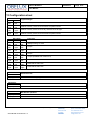
13 Configuration sheet ................................................................................................................................................ 16
14 Change log ............................................................................................................................................................. 17
Technical information in this document is subject to change without notice. Copyright © Obelux Oy 2014
Obelux Oy
phone +358 9 6871 6800
Kutomotie 6 B
fax +358 9 621 5518
FI-00380
http://www.obelux.com
Obelux MI-2KR-A User Manual v1.4
FINLAND
info@obelux.com
HELSINKI