1
What is a Mailing List
1. The Mailman mailing list is software designed to manage mail discussion and/or enewsletter lists. It allows a number of people to communicate between each other
by sending e-mail to the mailing list address which in turn distributes the message to
all members. The Mailman mailing list is useful for such instances as communicating
between a professor and his class or members of a department. A list user manual
is available at http://www.list.org/mailman-member/index.html
Setting Up a Mailing List on Mailman
1. In order to have a mailing list created, a work order must first be called into the
Faculty/Staff Computer Help Desk (ext. 2692.)
2. The following information must then be provided to the Faculty/Staff Computer
Help Desk so a proper work order can be placed.
x The name of what your mailing list will be called.
x The e-mail address of the person who will be the administrator of the mailing list.
3. With the above information, the Mailman Mailing List Admin will then create your
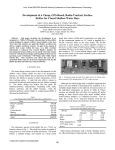
new mailing list and an e-mail will be sent to the e-mail address provided above,
which will look similar to the screenshot below:
Web page for
Admin login
Web page
for users of
mailing list
3