1
Web Panel User Guide
1.3 Features
The following are the things that each user can perform using the web administration platform:
✔
✔
✔
✔
✔
View web's basic data and statistics (usage, website traffic)
Create and administrate users
Administrate MySQL database
Perform FTP transaction online using WebFTP
Protect website directories using WebFTP
In addition, each website have the following development feature:
✔ CGI-BIN
✔ Perl
✔ PHP (version 4.3.9, php safe mode)
✔ Frontpage extensions (up to 2002 is supported)
✔ MySQL
1.4 Saving Data
The web administration system offers you two possibilities to save data you enter into a form:
✔
"Save"−Button: Click onto the "Save"−button to save your entries. The information will be
submitted, and the structure tree as well as the start page will be reloaded in your browser.
✔
Change the tab: If a form consists of more than one tab you can simply change the tab to
save your data. The data of the old tab will be saved, and the new tab will be loaded,
whereas the structure tree will not be reloaded. This technique of saving data allows you to
process forms with more than one tab in one pass and is one of the main characteristics of
the web administration system.
1.5 Changing Password
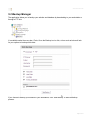
You can edit your web administration password under "Tools" −> "Change Password".
Page 2 of 19