1
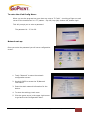
Introduction The cPad touchscreen terminal is designed to communicate over the network with the GoPrint Server and control access to a copier or Multi-Function printer. The cPad installation is configured in two parts: 1) The cPad device 2) The GoPrint Software Requirements The cPad communicates to the GTX server over port. To ensure successfully communicate enable an Inbound rule on the GTX server Windows Firewall. The GTX listens to communications over port 7770. Hardware Configuration Start-up: The cPad is powered by an external 24VDC 1A power supply Boot-up steps are: Black screen for about 10 seconds White screen with the Cartadis logo for about 1 minute 30 seconds Completely white screen for about five seconds followed by a beep warning displaying a progress bar for about 10 seconds. © 2014 GoPrint Systems, Inc. All rights reserved. | cPad User Manual 3