1
User manual
User manual
3.2.
1.3.
Switch ON
Freelap StopWatch
To switch on the heart rate monitor, it’s important to humidify the two electrodes with spray. 3 LEDS flashs confirm the start of the record (~5s after positionning).
The Stopwatch shows either the speed of the runner
(use with transmitters) or the instantaneous heart rate.
(For settings see chapter 3.5)
Then, during 40s the red LED flicks at the rate of the heart.
Notice : the two parameters cannot be visualized at the
same time during the training.
3.3.
Switch OFF
By removing the heart rate monitor, the recording will stop automatically after
a minute (risk of interference at the end of the recording)
3.4.
Stopwatch configuration with HR display
Heart rate monitor setting to visualize HR (freelap tools)
1.4.
All transmitters emit waves low frequency of various powers. Carried on the
thorax, the heart rate monitor detects these waves at a precise distance.
2.
• Parameter « stopwatch emission» must be check
• Modify this parameter with freelap tools (config_cardio)
Transmitters
Freelap Software
- Insert freelap CD in your CD-ROM or DVD-ROM
- Follow the steps
- Click on finish button
Stopwatch setting to visualize HR
• Put the Stopwatch in position Hour
• Press the «mode» button to pass in chrono mode
• Press 2s the «select» button to pass in configuration mode
• Select SAF mode with «start/lap» button
• Press «select» button and edit «1s» with «start/lap» button
• Press twice «select» button to desactivate beep
• Press «select» button to pass in distance configuration
• Select 2 meters with «select» button and the «start/lap» button
• Press «stop/reset» button to confirm
2.1.
Heart rate monitor configuration
•
Click on start -> programs -> freelap -> configuration -> cardio
•
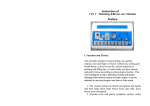
Position heart rate monitor on the configuration interface
Start
• Press «start/lap» button to start the stopwatch
• Press «mode» button to watch speed panel
• Speed = Heart rate (ex.157 HR)
Notice : The red LED must be opposite USB cable
Page 11
Page 4