1
S I S I * AMS2 USER MANUAL * RELEASE 10.0
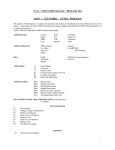
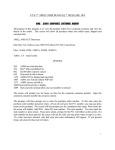
3200 * RECEIPT ENTRY
*Warning: This function should only be used if the quantity received per color is exactly the same (for all sizes
colors) as the quantity cut/purchased. If not, use F3.
To Enter Partial Receipts or Adjustments
Press the "F3" key. Type the following information in the blocks provided on the screen.
FIELD
DESCRIPTION OR ACTION
*CUT NO (5)
Cut number. Type the cut number exactly as it was typed on Cut or contract entry. The
cut numbers must match in order for a receipt to be accepted.
*RECEIPT NO (6)
Receipt number. Type the number. Precede with zeros if you do not have a six digit
number. NOTE: it is advisable to post this number to a separate log in order to control
receiving. See sample receipt log in this section.
RECEIPT DATE (6)
Receipt date. Type the month, day and year when finished goods have been received in the
warehouse.
PROCESS (1)
WIP Tracking
CONTR (2)
WIP Tracking
STYLE (6)
Style number. Type the style number from the style master.
DIM (2)
Additional two positions of style number
COLORS TOTALLY RECEIVED (6)
Colors totally received. Type the color codes that have been received
complete.
COMP-DATE (6) Completion date. Type the month/day/year only if you want to change the completion date of this
cut. This is the date you expect the garments to be finished.
COMP YR/WK (4)
Completion year/week. Type the year and week only if different from the master completion
date.
BALANCE UNITS (6)
Balance units. Type total units for this receipt. If the total units entered on the receipt differs
from the computer balance units, you will get an error message. Check against the original
receipt for errors, then correct either the balance units on the original receipt or the screen.
TYPE (1)
Type "1" is used for a partial receipt when the balance is to be received at a later date.
Type "2" is used for a partial receipt when the color is considered complete and the balance is to be
cancelled. The cut will be adjusted to match the receipt in both the Work in Process set and Styles
set. If fabric is being used, yards cut and standard inventory will also be adjusted. When receiving
complete after the initial receipts you may receive with zeros. This will reduce the cut figure and the inventory.
If using SC table Type 1 is always used no Type 2.
3