1
Before Installation
It is very important to mount the equipment in a suitable surface.
Make sure the place has a good ventilation, is out of direct sunlight, away from sources
of excessive dust, dirt, heat, water, moisture and vibration.
Unpacking
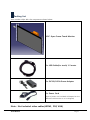
The equipment comes with the standard parts shown in package content. Check and
make sure they are included and in good condition. If anything is missing, or damaged,
contact the supplier immediately.
Caution
■ To avoid the risk of electric shock, make sure your hands are dry before unplugging
your monitor from or plugging your monitor into an electrical outlet.
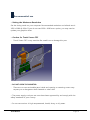
■ When you clean your monitor, do not press down on the Touch Screen and LCD.
Pressing down on the screen can scratch or damage your display. Pressure damage is
not covered under warranty.
■ Do not use alcohol (methyl, ethyl or isopropyl) or any strong dissolvent. Do not use
thinner or benzene, abrasive cleaners or compressed air.
■ To clean the touch screen, use window or glass cleaner. Put the cleaner on the rag
and wipe the touch screen.
Technical Support and Assistance
-
Visit the MCP website at http://www.mcpia.com where you can find
the latest information about the product.
Document Feedback
-
To assist us in making improvements to this manual, we would welcome comments
and constructive criticism. Please send all such – in writing to : tech@mcpia.com
**This User manual is subject to change without notice.
User Manual
Page 2