1
Color profile: Generic CMYK printer profile
Composite Default screen
Complete
Reference / Photoshop Elements 2: TCR / Milburn, Hirsh / 222475-4 / Chapter 1
Chapter 1:
Installing Elements for Peak Performance
Now that you have you have the application loaded, it is time to fine-tune it so it
runs like a race car, that is, unless you are planning to take only weekend drives. In that
case, maybe all you need is a well-tuned sedan. Whatever your goals are, here are some
pointers on how to get the most out of your system.
Setting Up the Maximum Fidelity Display
Your window on the world for Photoshop Elements is your monitor. This is a very
important piece of equipment for any computer user, but paramount for those who
work in digital imaging. It is the canvas. The accuracy of what you see there is critical
to the final outcome. If the monitor does not give you an accurate representation
of color, size, and spatial relationships, then you are working blind—or at least with
a bad pair of glasses.
Choose a monitor that is big enough; 17 inches is considered to be the minimum for
a comfortable working area. This allows you to work with all the windows you have
open and still see enough of the image you’re working on without having to move
windows around all the time. Even with a 17-inch monitor, it can get pretty crowded.
A 19- or 20-inch model is a welcome relief, and at today’s prices, it’s not out of reach.
Your monitor can never be too big. Some artists use dual monitor systems, moving all
their menus to one monitor so they can see their image unobstructed on the other.
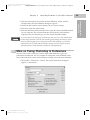
Screen and color resolution are also important considerations when setting up your
system. One way to get some more real estate on the screen is to increase the screen
resolution so you can display more information in the same area. This is similar to
zooming out on an online map so you can see more territory. At a minimum, resolution
should be 1024×768; otherwise you won’t have enough room. Your graphics board
determines how high you can set your resolution. The goal is to get your resolution
as high as you can yet still be able to read your text on the screen menus. On larger
monitors you can go higher without losing the text, which is another advantage of
big monitors. You will want to do a certain amount of your image editing at 100
percent magnification—meaning that the actually pixel resolution is shown in full
detail on the screen—so your screen needs to be large enough to allow you to see each
and every pixel. This means that if your screen is displaying at 1024×768, you can
display an image of the same size or less at 100 percent magnification. An image larger
than the screen resolution would be cropped at 100 percent magnification, and you
would only see a portion of the image displayed. You would then need to zoom out to
see the whole image, and some of the visual detail displayed would be compromised.
P:\010Comp\CompRef8\475-4\ch01.vp
Wednesday, August 28, 2002 10:39:31 PM
PHOTOSHOP ELEMENTS
ORIENTATION
program, information about known bugs, and any other special issues you
should know before you install. It is not a good idea to skip this the first time
you install. If you don’t understand all the information in this file, which is
sometimes the case since programmers sometimes prepare them, call you the
customer support line and get them to explain.
7