1
D-Link DMG-112A N300 Wireless Range Extender User Manual
Firmware Update
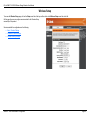
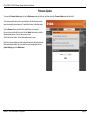
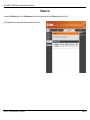
To access the Firmware Update page, click on the Maintenance menu link at the top, and then click on the Firmware Update menu link on the left.
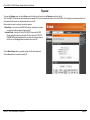
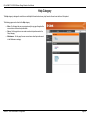
The Firmware update section can be used to update to the latest firmware code to
improve functionality and performance. To update the firmware, follow these steps:
Click the Browse button to locate the D-Link update file on your computer.
Once you have found the file to be used, click the Update button below to start the
firmware update process. This can take a minute or more.
Wait for the device to reboot. This can take another minute or more.
Note: Some firmware updates reset the configuration options to the factory defaults.
Before performing an update, be sure to save the current configuration from the
System Settings page of the Maintenance.
Section 3 - Web User Interface Configuration
Page 31