1
TYPHOON HDD DIGITAL JUKEBOX PLAYER
Article number: 83073
Play Options
1.
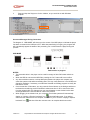
Scroll • or ‚ to "Play Options", then press "SEL"
2.
Scroll to these options, "Sequence Playlist", "Repeat Title", "Repeat Playlist", "Random"
or "Repeat & Random", then press "SEL" to confirm or "MENU" to exit
Date/Time
1.
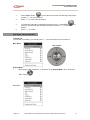
Scroll • or ‚ to "Date / Time", then press "SEL"
2.
Scroll • or ‚ to "Year", "Month", "Date", "Hour" or "Min" respectively, then press "SEL
3.
Scroll • or ‚ to modify individual settings and press "SEL" to confirm or "MENU" to exit
Language
1.
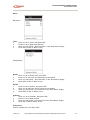
Scroll • or ‚ to "Language", press "SEL" to go into the "Music Information" display
including five languages: English, Traditional Chinese, Simplified Chinese, Japanese and
Europe.
2.
Select the language you preferred and then press "SEL" to confirm your setting.
3.
After completing the "Music Information" setting, the player system will let you enter the
"Menu Language" display to set the "Menu Language" options including English,
German, Spanish, French, Italian, Portuguese, Nederland, Traditional Chinese, Simplified
Chinese and Japanese.
4.
Select the language you preferred and press "SEL" to confirm your choice.
Record Quality
1.
Scroll • or ‚ to "Record Quality", then press "SEL"
2.
Select the CD Sync Timer (05 / 04 / 03 / 02 / 01 / OFF) and then press "SEL" to confirm
your choice.
CD Sync
1.
Scroll • or ‚ to "CD Sync", then press "SEL"
2.
Select any desired record quality options and then press "SEL" to confirm your choice.
Information
1.
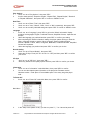
Scroll • or ‚ to "Information" under Main Menu, then press "SEL" to confirm
2.
You can see the related system information of the player like Firmware version /
Hardware version / Total space / Free available space / How many songs the player
hold…
To Power Off
1.
Scroll • or ‚ to "Power Off" under Main Menu, then press "SEL" to confirm
Main Menu
2.
In the "Stop" mode (status of idle), you also can press "? ¦ " for 2 second to power off.
Version 2.0
All specifications and information are subject to changes without further notice
31