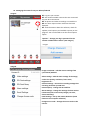
1
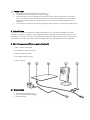
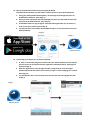
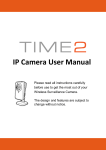
Please note! Install the product as indicated in this manual. The camera should be kept out of direct sunlight. Wireless systems can be affected by interference from wireless telephones, microwave ovens and other wireless devices that operate in the 2.4 GHz range. Keep the product at least 3 metres away from any possible sources of interference during installation and operation. The camera is not able to view through glass at night. Keep this in mind when positioning it. 2. Intended use The MIP11 is a security camera that makes it possible to view surveillance images via a local network, an Internet connection or the "Plug2View (iOS) & p2pcamviewer (Android)" App on your smartphone. The MIP11 can be connected either through an Ethernet cable or a Wi-Fi connection. The camera can make video and audio recordings and is also equipped with motion detection. 3. Main Components (What comes in the box?) 1. MIP11 Camera with base 2. 2 assembly screws and plugs 3. Ethernet (internet) cable 4. DC supply (power supply) 5. User’s manual 3.1 Connections 1. Ethernet port (Internet port) 2. DC connection (Power supply) 3. Reset opening