1
LCD Screens and Functions:
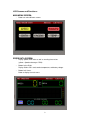
MAIN MENU SCREEN:
o
Buttons to select different screens.
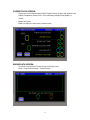
SPEED DATA SCREEN:
o
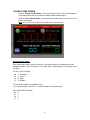
Display Speed, RPM values as well as trending these values.
(yellow = Speed and orange = RPM).
o
Bottom Left to Right:
Display Gallons left in tank, coolant temperature, and battery voltage.
o
Bottom Left Corner:
Button to display the main menu.
3