1
MiPNet12.10
Titration-Injection microPump TIP2k
28
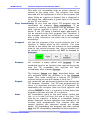
the entire programmed volume was injected and the
lasted less or equal to 30 seconds.
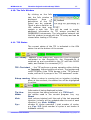
TIP end:
TIP Error:
appears at the end of the TIP setup program (after the
last program line has been executed or the setup
program was stopped by the user). In the event text
the final volume injected during the entire setup
program is displayed.
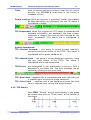
appears
when
the
programmed injection is
stopped
due
to
mechanical limits of the
TIP, when the rear or
front limits are reached.
Simultaneous with this
event the status bar of
the TIP2k changes to a
red background with the
text “TIP: Front limit” or “TIP: Rear limit”. Click on the
Error event name, to view the text with information on
the actually pumped volume.
A TIP error will automatically stop the running setup
program, thereby also generating a TIP end event. An
additional event ERROR without the volume information
may be generated, depending on software version.
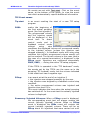
In addition to the TIP Error event in the graph, the
green control light on the push button of the TIP2k
blinks fast when “TIP: Front limit” or “TIP: Rear limit” is
reached. At this status you cannot operate the TIP2k
with Datlab 4. In order to activate the TIP2k for further
use, the pump has to be reset manually, using the
push buttons. Then the status “TIP: Ready” is attained,
the green light stops blinking and is continuously on.
5. References
O2k-Manual
MiPNet12.07 DatLab4 Guide through the menus.
OROBOROS INSTRUMENTS
OROBOROS Oxygraph-2k