1
GB
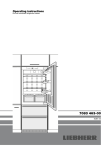
Description of the appliance
1Operating and control elements
2Adjustable door racks
3Adjustable storage shelves
4Bottle racks
5Type plate (behind the vegetable drawer on the left-hand side)
6Vegetable drawers
7Water filter
8Upper freezer drawer
9Lower freezer drawer
blIceMaker (in the interior of the upper freezer drawer)
bmVentilation grille. In this area, the exchange of air for the refrigeration unit takes place.
Never cover this grille or otherwise obstruct the air flow!
Temperature and control display
Water filter has to be changed
Refrigerator temperature display
Operating and control elements
The electronic control panel has the "touch capacitance technology". Any function can be activated by touching the corresponding
icon.
Menu mode is activated
(for setting additional functions)
The exact contact point
is between the symbol and its label
Refrigerator
operating icons
Refrigerator operating icons
Mute alarm (refrigerator and freezer)
SuperCool
Refrigerator ON/OFF
Temperature setting buttons
Freezer temperature display
Control
icons
Control icons
Freezer
operating icons
Freezer operating icons
Temperature setting icons
Power failure LED
Dust filter LED
The dust filter in the appliance
plinth must be cleaned.
SuperCool LED
Freezer ON/OFF
SuperFrost
IceMaker ON/OFF
Child lock LED
Alarm LED
IceMaker ON LED
SuperFrost LED
15