1
BIOS Setup Information
Standard CMOS Setup
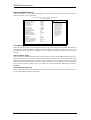
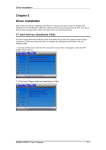
“Standard CMOS Setup” choice allows you to record some basic hardware
configurations in your computer system and set the system clock and error handling.
If the CPU card is already installed in a working system, you will not need to select
this option. You will need to run the Standard CMOS option, however, if you change
your system hardware configurations, the onboard battery fails, or the configuration
stored in the CMOS memory was lost or damaged.
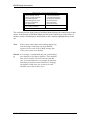
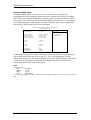
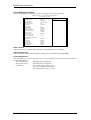
CMOS Setup Utility – Copyright © 1984-2001 Award Software
Standard CMOS Features
Date (mm:dd:yy)
Tue, Mar 26 2001
Time (hh:mm:ss)
00 : 00 : 00
Menu Level
Item Help
IDE Primary Master
IDE Primary Slave
IDE Secondary Master
IDE Secondary Slave
Press Enter 13020 MB
Press Enter None
Press Enter None
Press Enter None
Change the day, month,
Year and century
Drive A
Drive B
1.44M, 3.5 in.
None
Video
Halt On
EGA/VGA
All Errors
Base Memory
Extended Memory
Total Memory
640K
129024K
130048K
At the bottom of the menu are the control keys for use on this menu. If you need any
help in each item field, you can press the <F1> key. It will display the relevant
information to help you. The memory display at the lower right-hand side of the menu
is read-only. It will adjust automatically according to the memory changed. The
following describes each item of this menu.
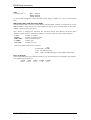
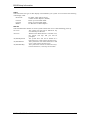
Date
The date format is:
Day :
Month :
Date :
Year :
Sun to Sat
1 to 12
1 to 31
1994 to 2079
To set the date, highlight the “Date” field and use the PageUp/ PageDown or +/- keys to set the current
time.
ROBO-8700VL User’s Manual
4-3