1
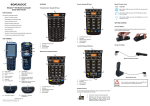
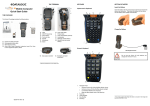
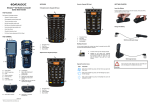
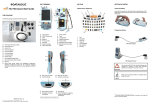
SYNCHRONISE YOUR DEVICE WITH THE PC INSTALLING A MICROSD CARD SCANNING AND IMAGING REFERENCE DOCUMENTATION Set up Synchronisation using Windows Mobile® Device Center 1. Turn off the Elf. Laser Data Capture For further information regarding Elf refer to the SDK Help on-line and to the Elf User’s Manual. 2. Pull the battery latch down and remove the battery pack: For information regarding safety and regulatory refer to the dedicated section of the Elf User’s Manual. Windows Mobile Device Center is only compatible with Windows Vista and Windows 7; if you run Windows XP or earlier, you have to download Microsoft ActiveSync. PATENTS You can establish a connection to your Elf through the following interfaces: USB either directly or through the Single Dock RS232 either directly or through the Single Dock Bluetooth® 3. This product is covered by one or more of the following patents. Design Pat.: EP 1,180,681. US Pat.: 5,198,649; 5,311,000; 5,440,110; 5,481,098; 5,493,108; 5,686,716; 5,992,740; 6,412,698; 6,415,978; 6,454,168; 6,478,224; 6,513,714; 6,561,427; 6,585,157; 6,808,114 B1; 6,997,385 B2; 7,108,170; 7,387,246 B2. European Pat.: 681,257 B1; 789,315 B1; 1,128,315 B1; 1,396,811 B1; 1,413,971 B1. Shift the cardholder to the left and then pull it up: To establish a partnership between the Elf and a host PC, start Windows Mobile® Device Center and follow the steps below: 1. 2. 3. 4. 5. Connect the Elf to the host PC. Windows Mobile® Device Center configures itself and then opens. On the license agreement screen, click Accept. On the Windows Mobile Device Center’s Home screen, click Set up your device. Select the information types that you want to synchronize, then click Next. Enter a device name and click Set Up. Additional patents pending. SERVICE AND SUPPORT 4. Datalogic provides several services as well as technical support through its website. Please check our website at www.datalogic.com under “Support & Services”, then “Automatic Data Capture”, and click on the links indicated for further information including: Insert the microSD card with the written part upward: - When you finish the setup wizard, Windows Mobile Device Center synchronizes the PDA automatically. Microsoft® Office Outlook® emails and other information will appear on your device after synchronization. - Manuals for the latest versions of user manuals and product guides. - Software & Utilities for the latest firmware release for your product. You can also click on the following link for direct access to this section: www.datalogic.com/products_updates. - Service Program for warranty extensions and maintenance agreements. - Repair Centers for a list of authorised repair centers. - Technical Support Automatic Data Capture email form to contact our technical support. Imager Data Capture Communicate with Host 5. Lock the card into place by pushing the cardholder down and then shifting it to the right: Downloads WARRANTY TERMS AND CONDITIONS The warranty period is 1 year for the device and 90 days for consumables (e.g. battery, power supply, cable etc.) from date of purchase at our company. Linear barcode 2D Matrix symbol ÌBX3ÉÎ Relative Size and Location of Aiming System Pattern ©2010-2013 Datalogic ADC S.r.l. • ALL RIGHTS RESERVED. • Protected to the fullest extent under U.S. and international laws. • Copying, or altering of this document is prohibited without express written consent from Datalogic ADC S.r.l. Datalogic and the Datalogic logo are registered trademarks of Datalogic S.p.A. in many countries, including the U.S.A. and the E.U. Elf is a trademark of Datalogic ADC S.r.l. and the Elf logo is a registered trademark of Datalogic ADC S.r.l. in the U.S.A. and the E.U. All other brand and product names mentioned herein are for identification purposes only and may be trademarks or registered trademarks of their respective owners.