1
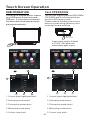
Touch Screen Operation
Media Operation
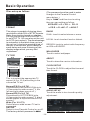
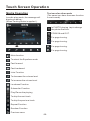
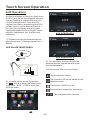
The icons for other mode
(The same icon have the same function
in each mode)
In audio play mode, the message will
display as below :
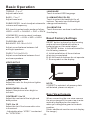
(When Parking Brake is applied .)
10:00 AM
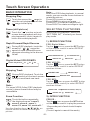
In PHOTO playing ,tap to change
the photo direction.
ZOOM IN and OUT.
For page turning.
For page turning.
For page turning.
For page turning.
Mute function
To select the Equalizer mode
Fast forward
Fast backward
Intro Function
To decrease the volume level
To increase the volume level
Loudness Function
Subwoofer Function
Play/Pause the playing
To skip the next track
To skip the previous track
Repeat Function
Random Function
Previous menu
-20-